How to apply for WhatsApp Business API? Step by step guide


TL; DR: Quick Summary
- WhatsApp Business API integration connects your systems to WhatsApp so customers can message you easily while you scale support and sales.
- It reduces call-center load, speeds responses, and gives more control over data and customer experiences than the Business app.
- Setup requires a Meta Business Manager account, adding assets, and completing business verification with official documents.
- Build a professional WhatsApp Business Profile with consistent branding, clear descriptions, and accurate hours/contact details.
- SleekFlow enhances WhatsApp API with a unified inbox, team assignment, segmentation, and automated campaigns for personalized outreach.
- Add AI agents, CRM + Shopify integrations, and automation (e.g., cart reminders, order updates) to boost conversions and efficiency.
Is your business starting to feel like it's outgrown the standard WhatsApp Business app? If you're struggling to keep up with customer messages, it's time for an upgrade.
The WhatsApp Business API isn't just another tool—it's essential for any business serious about scaling its customer communication.
In this guide, we’ll walk you through the entire WhatsApp API integration process, step by step, and show you how to leverage its key benefits to drive real business growth.
What is WhatsApp API integration?
WhatsApp API integration is the process of connecting a business's existing systems and processes with the WhatsApp Business API. For businesses that have WhatsApp API integration, customers can reach out to them directly and easily from their WhatsApp accounts.
Customer support, online booking/orders, and overall consumer experience are streamlined with this integrated process. Customers no longer have to go through call centers, customer support queues, and automated messages, which also reduces pressure on your support teams.
In addition, companies can easily customize user experiences and have complete control over data management without any front-end restrictions.
Learn more about WhatsApp API Solution for developers.
Step-by_Step Guide: How to set up WhatsApp Business API with SleekFlow
To apply for the WhatsApp Business API, you'll first and foremost require an active Meta Business Manager account to get started. In this section, we gonna guide you step by step to apply for WABA.
How to set up a Facebook Business Manager account
Follow these steps to get your account set up:
Create the Account: Navigate to Meta Business Manager and follow the on-screen prompts to create a new account.
Input Business Details: Accurately provide all of your business information. Ensure transparency and accuracy, as these details are vital for verification.
Add Your Assets: Link your existing Facebook business page and any relevant ad accounts to centralise control and management within the Business Manager.
Verify Your Business (Crucial Step): You must verify your business to add legitimacy and gain full access to the WhatsApp Business API features.
Gather Documents: Prepare official documents that display your business's legal name and address (e.g., a utility bill, bank statement, or business license).
Start Verification: In your Business Manager, go to the 'Security Center' and click on 'Start Verification'.
Submit: Enter your details exactly as they appear on your official documents, upload the necessary documentation, and submit for review.
Once verified, you'll have the necessary foundation to proceed with your WhatsApp Business API application via a Business Solution Provider (like SleekFlow).
Setup your WhatsApp Business Profile
Once your Meta Business Manager is set up and you've applied for the WhatsApp Business API through a solution provider like SleekFlow, the next essential step is to create a compelling and professional WhatsApp Business Profile. This profile is your digital storefront, so ensuring it is accurate and engaging is paramount.
1. Creating Your WhatsApp Business Profile
Profile Picture: Choose an image that clearly represents your brand, such as your company logo. It should be high-resolution and instantly recognisable to build trust.
Business Name: Your business name on WhatsApp should be consistent with the legal name registered in your Meta Business Manager to maintain brand recognition and consistency.
About Section/Description: Use this space for a concise summary of what your business does or its mission. This is your 'elevator pitch'—make every word count!
Tips for creating an engaging business profile
Just creating a profile is not enough, you need to create an engaging business profile to make your profile look professional. Here are some tips from us:
- Consistency: Ensure your branding (logo, tone, and information) is consistent across all your online platforms (website, Facebook, WhatsApp). This strengthens brand recall.
- Clarity: Use clear, straightforward language that reflects your brand's voice and is easy for customers to understand. Avoid unnecessary jargon.
- Contact Details: Include other contact information, like your website URL or a primary email address, to give customers alternative ways to reach you.
2. Adding Business Information
Accuracy is critical here, as this information guides customers and builds credibility.
Address: If you have a physical location or office, include a precise address.
Business Description: Use this section to highlight your unique selling points, services, or the value you provide.
Hours: Clearly state your operating hours so customers know when they can expect a response from your team.
SleekFlow API Revolutionizes Your WhatsApp Business Strategy
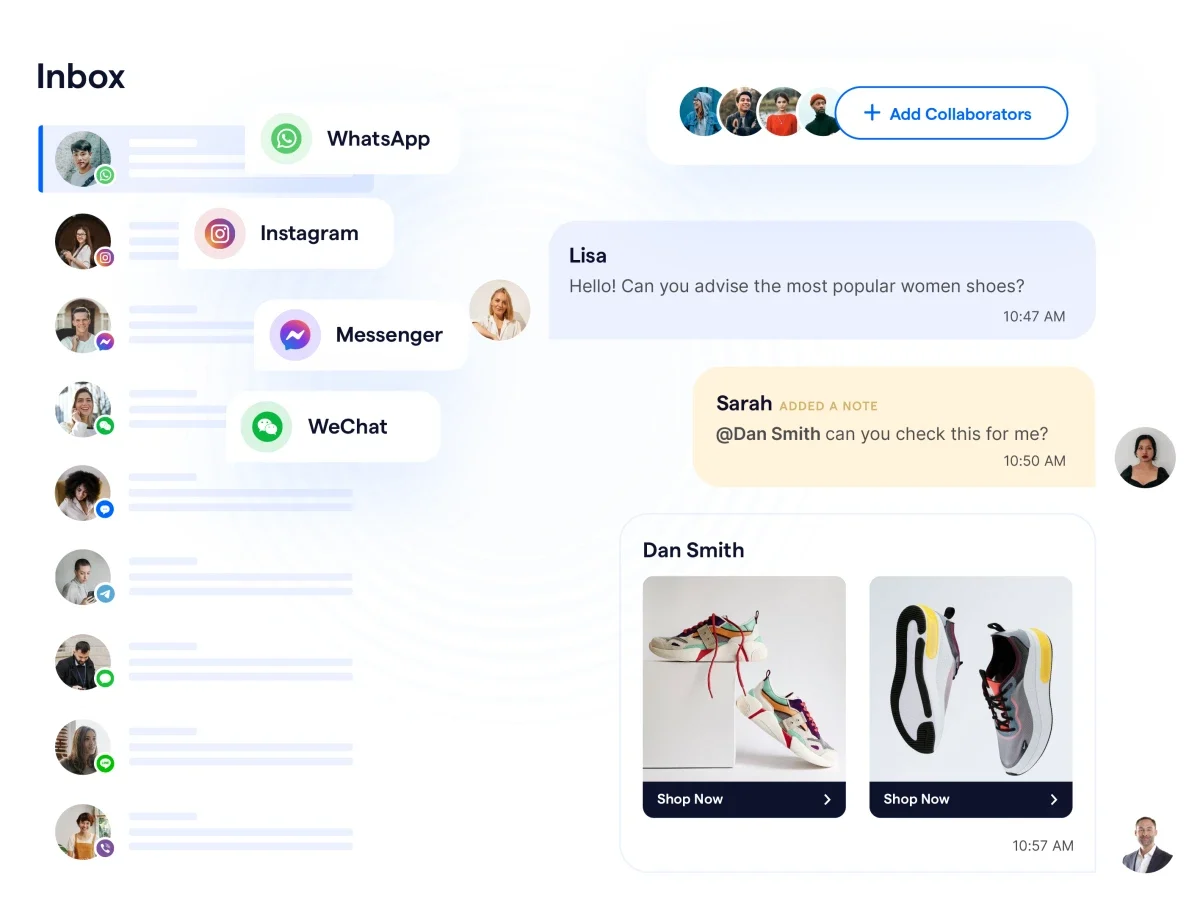
SleekFlow is the ultimate platform designed to enhance your WhatsApp Business strategy by helping you sell, support, and convert more effectively on social media. With SleekFlow, you can integrate not only your WhatsApp Business account but also other leading social messaging platforms like Messenger, Instagram, WeChat, LINE, and more, allowing you to manage all your conversations in one unified inbox with AI agents.
1. Unified Inbox for Seamless Team Collaboration
With SleekFlow’s all-in-one inbox, collaborating with your team becomes effortless. You can easily assign conversations to colleagues manually or automatically, ensuring that no message goes unanswered. Additionally, you can add collaborators to conversations, and use internal notes to tag specific team members for smooth communication and collaboration.
2. CRM Integration: Automate Campaigns for Targeted Communication
Take your chat strategy to the next level by leveraging campaigns and automation features within SleekFlow. You can segment your contacts into groups based on criteria such as demographics, behavior, or purchase history, and launch targeted, personalized campaigns that speak directly to each group. This boosts engagement and enhances the customer experience.
Wear That enhanced client segmentation and retargeting with SleekFlow
Wear That, a personalized styling service in the UAE, needed to address the complexities of a diverse customer base and improve their client segmentation and retargeting efforts.
Generic outreach limited their ability to effectively engage with clients who had varied shopping behaviors and preferences, making their marketing less impactful.
Using SleekFlow's automated labeling and segmentation tools, Wear That categorized clients into tailored communications based on historical interactions and purchase data.
A 21% increase in styling box requests, highlighting the effectiveness of their highly personalized campaigns and refined retargeting strategy.
3. Chatbot Integration: Build a team of AI Agent to Enhance Customer Interaction
SleekFlow also allows you to build a team of intelligent AI Agent to handle qualifying questions, respond to frequently asked questions, and automate initial customer interactions. These chatbots help reduce response times and ensure 24/7 support, improving efficiency and customer satisfaction.
How alfred24 leverages SleekFlow to provide automated solutions
alfred24, a leading logistics company, processes thousands of orders daily and was using traditional communication channels like email and phone to interact with customers.
Their traditional communication methods had low open rates and required a lot of staff to manage. They needed a more scalable and efficient way to communicate with customers.
alfred24 integrated SleekFlow to use the WhatsApp Business API. They set up automated workflows to assign conversations, send out-of-office replies, and provide delivery updates.
Reduced manpower by 80% for customer inquiries.
Slashed customer response times by 60%.
Achieved a 300% increase in open rates.
I think the best feature of SleekFlow is the automated assignment of conversation and automatic replies. We tried other platforms but there were too many restrictions. With SleekFlow, we can configure the settings on our own such as whom to assign the conversation and when to send out the out-of-office message.
Alvin Lee
General Manager
4. Integrate with Shopify for Enhanced Sales and Support
For eCommerce businesses using Shopify, SleekFlow provides a Shopify integration that displays purchase history and order status alongside customer conversations. This integration allows you to offer personalized support based on customer purchase behavior. You can also set up automated rules to send abandoned cart reminders, order updates, and more, ensuring no opportunity for customer engagement is missed.
5. Future-Proof Your Business with Social Commerce Features
SleekFlow is constantly evolving to meet the needs of modern businesses. As new features are continuously added, SleekFlow becomes the gateway to endless possibilities in social commerce. Whether you’re looking to integrate multiple platforms, automate customer support, or enhance your sales funnel, SleekFlow equips your business with the tools needed to thrive.
One of the latest additions is AgentFlow, AI agents designed to supercharge your customer service. Imagine an AI that can handle routine inquiries, qualify leads, and even schedule appointments, freeing up your human agents to focus on more complex issues. It’s like having a 24/7 sales and support team that never sleeps.
Start Your WhatsApp Business API Integration with SleekFlow
Don’t miss out on the opportunity to transform your communication strategy. Apply for the WhatsApp Business API today and start using SleekFlow to power your business’s customer engagement and sales.
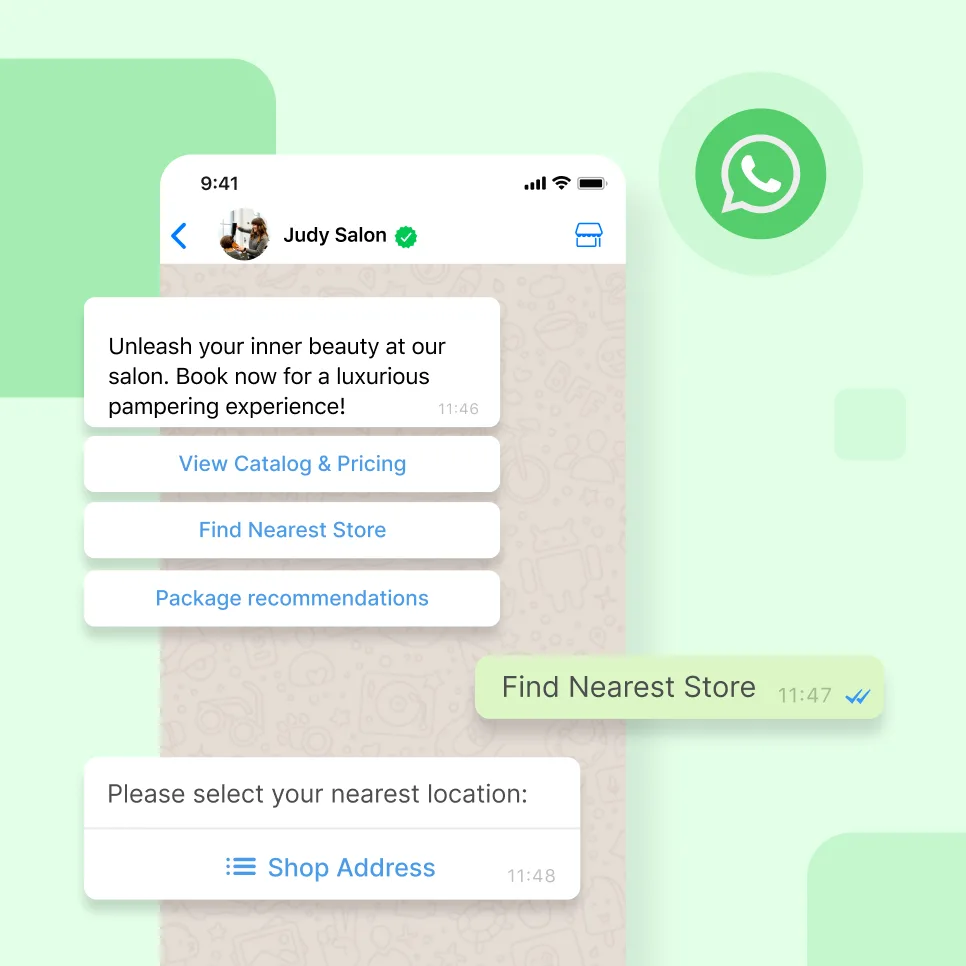
Go beyond basic messaging— engage and convert with WhatsApp
Book your personalised demo with SleekFlow today and let us show you the full marketing potential of WhatsApp


