Complete guide for WhatsApp broadcast messages


TL; DR: Quick Summary
- WhatsApp Broadcast lets businesses send one message to many recipients privately, with high visibility and fast reads.
- The free WhatsApp Business App supports basic broadcasts, catalogs, labels, quick replies, and simple analytics for small teams.
- App limitations include 256-recipient caps, manual personalization, contact-only sends, and higher risk of blocks at scale.
- WhatsApp Business API removes these limits with automation, personalization, higher send limits, and verified business profiles.
- Using an official BSP like SleekFlow enables scalable broadcasts, CRM/e-commerce integrations, analytics, and AI automation.
- Done right, WhatsApp Broadcast boosts engagement, conversions, and ROI—but requires opt-in, compliance, and smart targeting.
With more than 3 billion WhatsApp users around the world, there is no doubt that WhatsApp also ranks among one of the most popular sales channels.
Apart from the huge user base, here are 3 simple reasons why you (and your boss) should start converting customers on WhatsApp:
The average user checks their WhatsApp more than 23 times daily
WhatsApp processes 100 billion messages every single day
80% of all WhatsApp messages are usually read within 5 minutes
With such ingrained habits, WhatsApp with features like Broadcast can better close the distance between businesses and customers.
What is WhatsApp broadcast?
WhatsApp Broadcast is a feature that allows businesses to send a single message to multiple recipients at once, without them seeing each other in the conversation. It functions similarly to the BCC (blind carbon copy) feature in emails, maintaining the privacy of each recipient as they receive the message in a one-on-one chat.
This feature is particularly useful for businesses looking to communicate efficiently with a large audience. Here’s why:
Send promotions, updates, or alerts quickly to multiple people.
Messages feel more personal and immediate compared to emails.
Ideal for marketing and customer service teams to enhance their social and messaging strategies.
In recent years, many businesses have adopted WhatsApp Broadcast as part of their marketing and communication plans to better connect with their audience.
Sleekhacks:
Broadcast one-off promotional codes to remind new customers of their limited-time offers to spur conversions!
How Pristine Aroma drives revenue with SleekFlow's broadcast feature
Pristine Aroma, a Singapore-based home fragrance brand, was expanding internationally.
Their traditional email marketing wasn't working well due to low engagement. Customer conversations were scattered across different channels.
Pristine Aroma used SleekFlow to centralize its customer communications. This allowed them to use automated and broadcast messaging for marketing campaigns.
A social media giveaway generated nearly 1,000 interactions and over 200 new followers in one week.
A WhatsApp broadcast campaign during a "9.9 sale" achieved a 56% open rate, an 18% conversion rate, and a 13x ROI.
Overall team efficiency increased by approximately 90% thanks to a unified view of customer data and automated follow-ups.
What are the Broadcast features in WhatsApp Business App?

Want to outcompete your peers with SleekFlow's help?
Book your personalised demo with SleekFlow today and unlock the potential of seamless communication
Small businesses can get started quickly with the free WhatsApp Business App to become more familiar with it as it has the same user interface as the regular WhatsApp app.
With the WhatsApp Business App, businesses can:
Discover the advantages of broadcasting on WhatsApp.
Send automated broadcast messages.
Experience the benefits it brings to their business operations.
There are a couple of features that set the WhatsApp Business App apart from the normal WhatsApp messaging app:
1. Business profile
Provides key business information such as your address, business description, email address, and website.
WhatsApp has recently changed the verification badge from a green tick to a blue tick, to keep branding consistent across Meta's services. Explore more about getting a blue tick verification for your WhatsApp Business account.
2. Labels
Allows you to organize your contacts or chats with labels, so you can easily find them again. Read on to see how should you make good use of labels.
3. Quick replies
Save and reuse messages you frequently send so that you can easily answer common questions in no time.
4. WhatsApp catalog
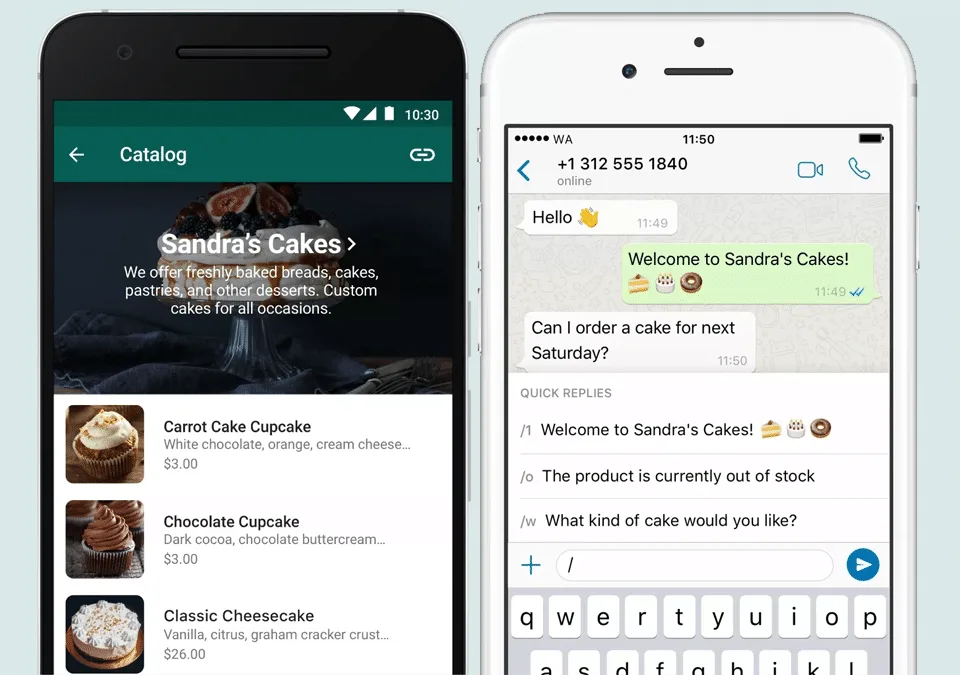
A WhatsApp Business catalog allows businesses to display their products or services to potential customers directly on WhatsApp.
You can upload all the important details, including:
Product name
Price
Description
Website link
Product code
There are two ways to set up a WhatsApp Business catalog: using the free WhatsApp Business App or through the WhatsApp Catalog API.
Learn more about creating it here: WhatsApp catalog for customers to browse and shop in the chat
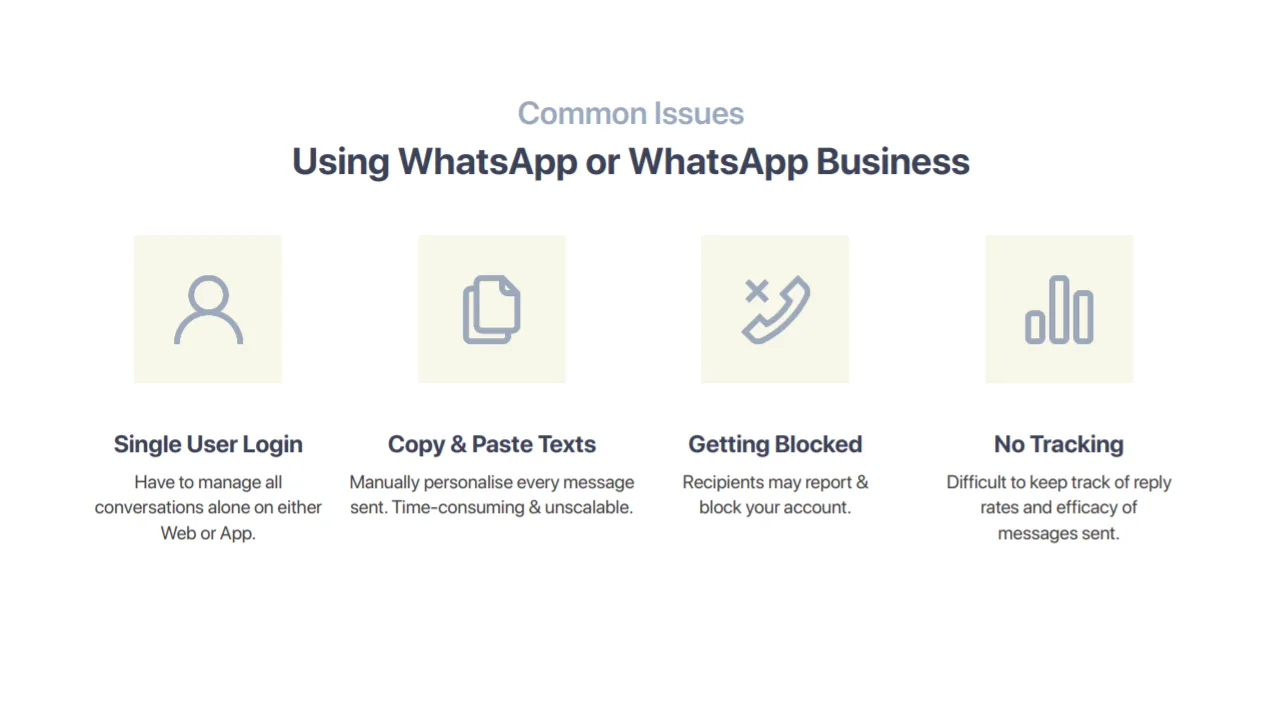
5. Multiple user login
While the free WhatsApp Business app has more features than the regular version, it does have its limitations.
When it comes to handling conversations, each business account only allows:
A single user to log into the app on one phone.
Up to 4 linked devices to be logged into the same account simultaneously using WhatsApp Web.
That’s not all—any additional or even accidental logins will log out of existing users, resulting in loss of unsent messages and workflow bottlenecks.
6. Send tailored messages
Send tailored messages to specific customer segments, allowing businesses to engage more effectively with their audience by addressing their unique needs and preferences.
Here's how you can send effective personalized broadcast messages:
Keep your message clear and easy to understand, avoiding jargon and focusing on the main point.
Make your call-to-action stand out, guiding your audience on what to do next with a clear and compelling directive.
Personalize your messages using customer data and segmentation to make each recipient feel valued and understood.
Send messages at optimal times to increase the likelihood of them being seen and acted upon.
Add a personal touch by referencing past interactions or preferences, making your communication feel more like a conversation.
7. Adherence to WhatsApp’s policies
To ensure responsible usage and protect user privacy, businesses must adhere to WhatsApp's guidelines and policies.
Compliance is essential to avoid penalties or account restrictions. This means:
No spam: Only send messages to users who have opted-in to receive them.
Respect privacy: Avoid sharing sensitive information without explicit consent.
Provide value: Ensure your messages are relevant and useful to the recipient.
As such, larger corporations should not just stop at the WhatsApp Business App but instead seek out omnichannel messaging platforms to streamline their messaging workflow and send bulk WhatsApp messages for promotional purposes.
How to send a broadcast message on WhatsApp Business App?
If you are operating a small business with one or two staff members to answer your customers’ queries, you can begin to broadcast on WhatsApp using the WhatsApp Business App’s limited broadcast function.
1. Create a WhatsApp broadcast list
The advantage of creating a Broadcast WhatsApp List is that you can finely segment your customers and create unlimited Broadcast Lists. Here's how to create a WhatsApp broadcast list:
Tap on “Broadcast List”
Tap on “New List”
Select the customers that you want to add to the list
2. Using WhatsApp labels
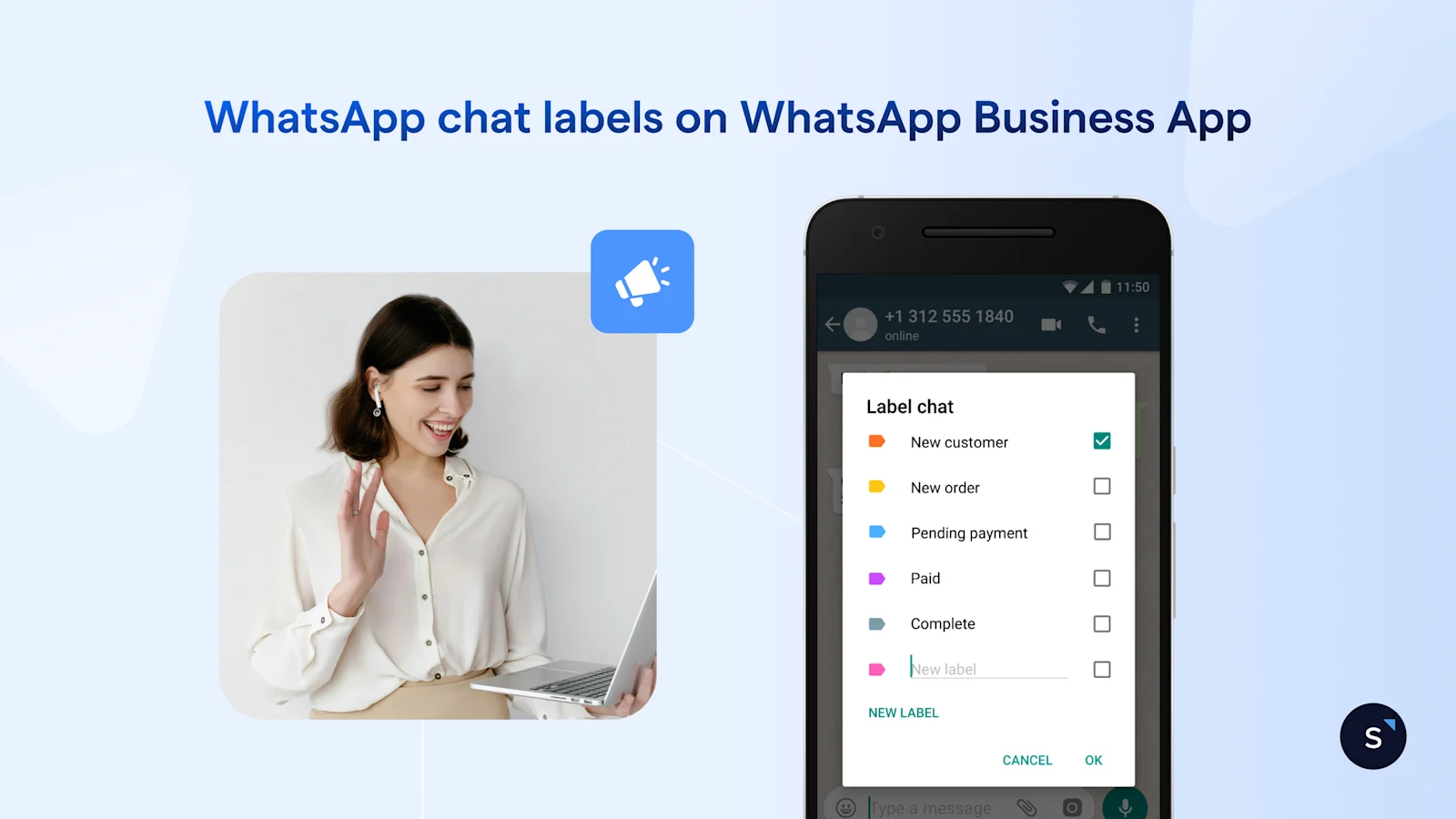
Using labels is a fantastic way to organize and segment your customers right within WhatsApp.
What makes them so useful? You can label individual message bubbles, not just entire chats. Here are a few ways you can use labels to your advantage:
Collect positive feedback: You can add a "Positive Review" label to all glowing messages. This allows you to view them all at once, making it easy to screenshot and share them on your social media!
Track customer suggestions: Got a great idea from a customer? Label it as a "Suggestion." Later, you can review all these suggestions together to inspire business improvements.
Create targeted broadcast lists: Labels can be used to build specific broadcast lists. For example, you can create a list for everyone who has given a positive review and send them an exclusive thank-you offer.
Manage payments: Apply a label like "Unpaid" to customers who have outstanding payments. You can then filter for this label and send them all a friendly payment reminder at once.
Step-by-step: creating broadcast lists from labels
Tap on More Options
Select Labels
Choose the Label you want to create a Broadcast List with
Tap on More Options and send Broadcast to customers
Select the green tick on the bottom right of the page and start drafting your message
Don’t know what is WhatsApp Business? Read WhatsApp Business: All You Need To Know.
Limitations of WhatsApp Business App to broadcast messages
Each WhatsApp broadcast list can only have a maximum of 256 people added, therefore you can only send it to a maximum of 256 people in one go..What happens when the number of customers increases?
In addition, with the WhatsApp Broadcast function, everyone in your Broadcast List receives the exact same message. Thus, if you want to personalize your message a little by including their names, good luck sending out personalized texts one by one.
The biggest problem is that you cannot broadcast a message to someone who isn’t in your contacts. What a bummer.
That’s not all. WhatsApp Business’s forward function, only allows you to forward a message to up to 5 recipients at any one time. Think about how many times you’ll need to repeat this copy-and-paste action for 500 customers!
Next, what if you have a thousand or even ten thousand customers? (P.S. You’ll need to manually add each contact individually before being able to forward a message to them)
Lastly, when you try to broadcast on WhatsApp, you risk being reported by customers and blocked by WhatsApp, leaving you uncontactable. This results in tons of lost leads and gives your customers and potential leads a negative impression of your business.
Got banned on WhatsApp? It's not too late to learn how to unblock your account and avoid getting stuck again.
Solution for scaling: send WhatsApp Broadcast messages with WhatsApp API
While there are many limitations to WhatsApp Business Broadcast, there is, in fact, one simple solution - WhatsApp Business API.
To communicate with your customers more effectively and scale your business, you'll need to understand how the WhatsApp Business API works. Here's how it can help:
It enables your team to send WhatsApp marketing messages to clients efficiently.
It offers practical functions that work differently when creating broadcast campaigns.
Connect to WhatsApp Business API now!
Connect to WhatsApp Business API and unlock powerful tools to engage your audience.
What is WhatsApp Business API?
WhatsApp Business API is a communication tool designed for businesses to connect with their customers on the WhatsApp messaging platform.
It's especially useful for larger businesses and enterprises that need to manage customer communications at scale. Here’s what it allows you to do:
Send automated messages
Provide customer support
Conduct transactions on the app
Create verified business profiles
Send personalized messages
Use rich media formats like images, videos, and audio messages.
Benefits of using WhatsApp Business API
Your WhatsApp account will be shown as a Business Account.
Your customers will be able to see both your company name and logo at the top of every conversation, even if your phone number is not saved.
Users will need to opt-in to receive broadcast messages, increasing customer satisfaction when they receive personalized, relevant messages.
Apply for WhatsApp authentication to obtain the Meta verified badge (blue tick) to establish trust with both new and existing customers.
When customers click on your business account, they can quickly see your business profile and other essential information such as branch addresses and service hours.
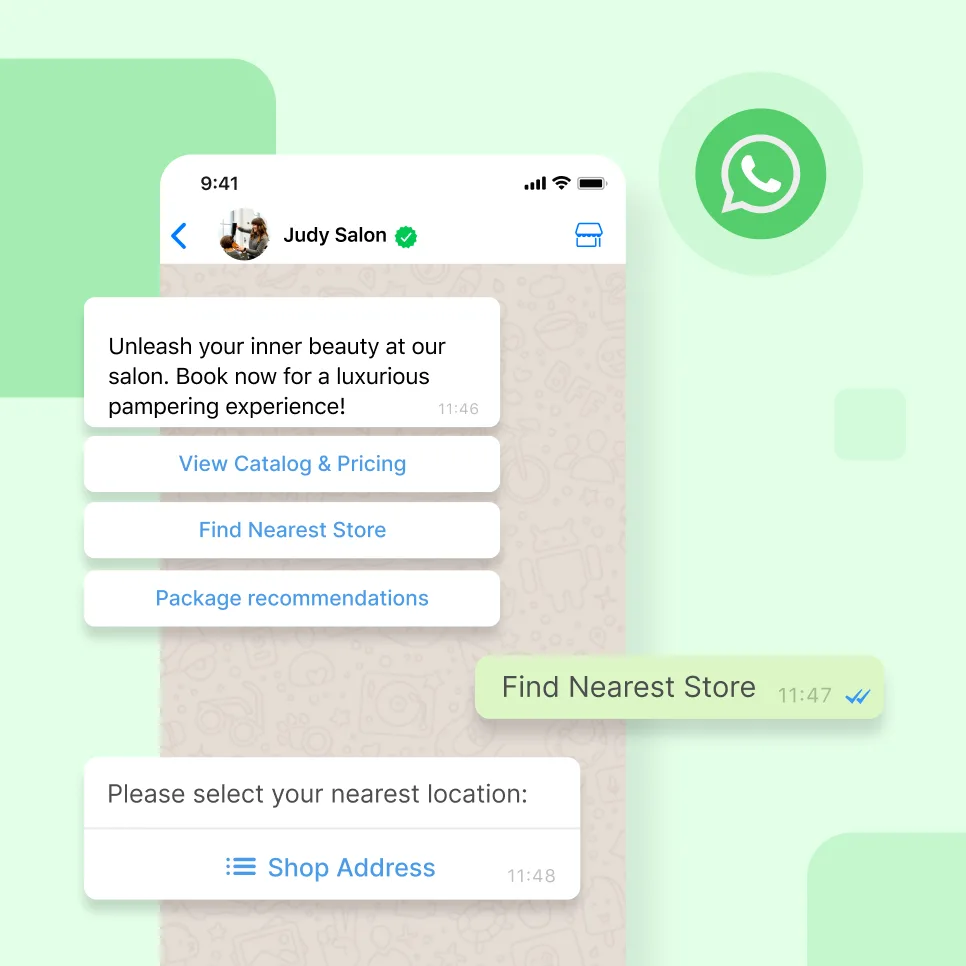
You can use interactive WhatsApp message features such as chat buttons to increase customer engagement.
Integrations with existing CRM platforms or e-commerce stores are available to streamline your workflows.
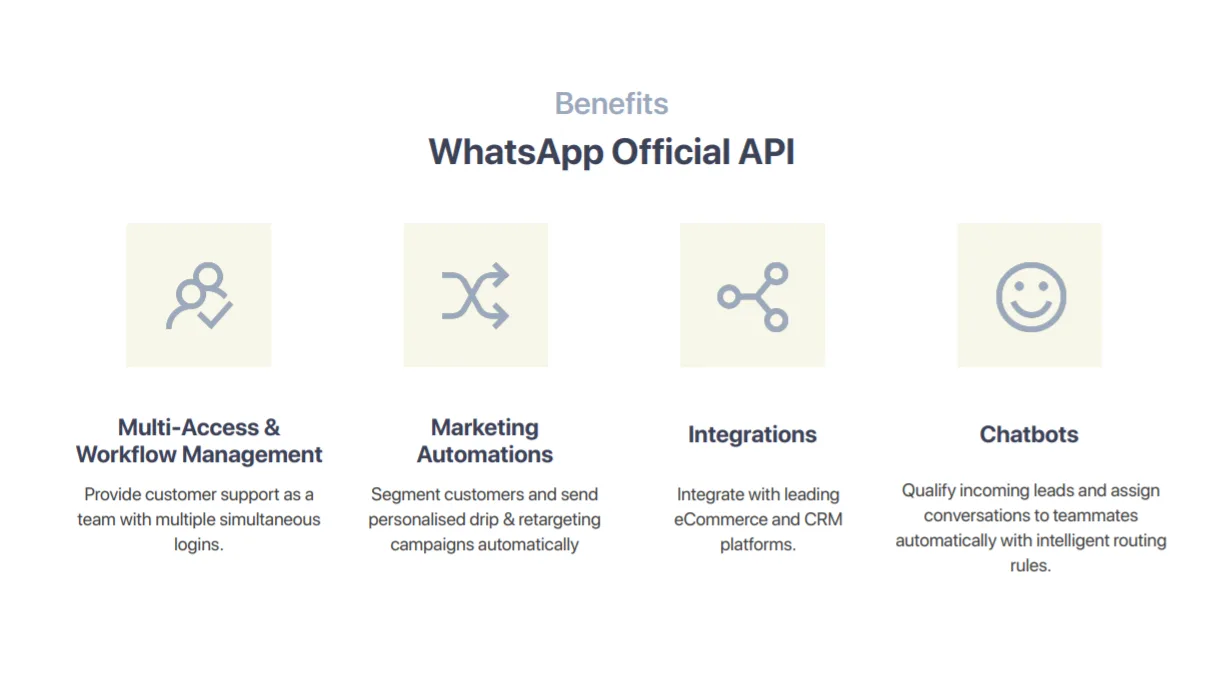
WhatsApp Business API is a powerful tool for customer support and service teams, helping to build stronger customer relationships through conversations and automation.
Here’s how WhatsApp broadcast automation can level up your business:
Send personalized messages and offers at the right time.
Conduct short surveys to gather customer feedback.
Provide instant customer support.
How to send a broadcast message on WhatsApp API with SleekFlow?
The larger the business, the more important it is to use the WhatsApp Business API and broadcast automation.
You can get access to the WhatsApp Business API through an official WhatsApp Business Solution Provider (BSP) like SleekFlow. Using a BSP makes it:
Faster and easier to publish messages.
An integrated Customer Relationship Management (CRM) system that helps solve complex problems like personal data collection.
Compared to WhatsApp Business’s broadcast function, SleekFlow’s campaign message function allows you to do more through:
Multiple WhatsApp Business logins for simultaneous conversations
Multiple team members can log in to the same WhatsApp Business account and use the SleekFlow platform to talk to customers using the same corporate WhatsApp number.
Variables for WhatsApp personalized broadcasts
Personalize your messages in a jiffy by adding variables such as first name, birthdate, membership points, and more.
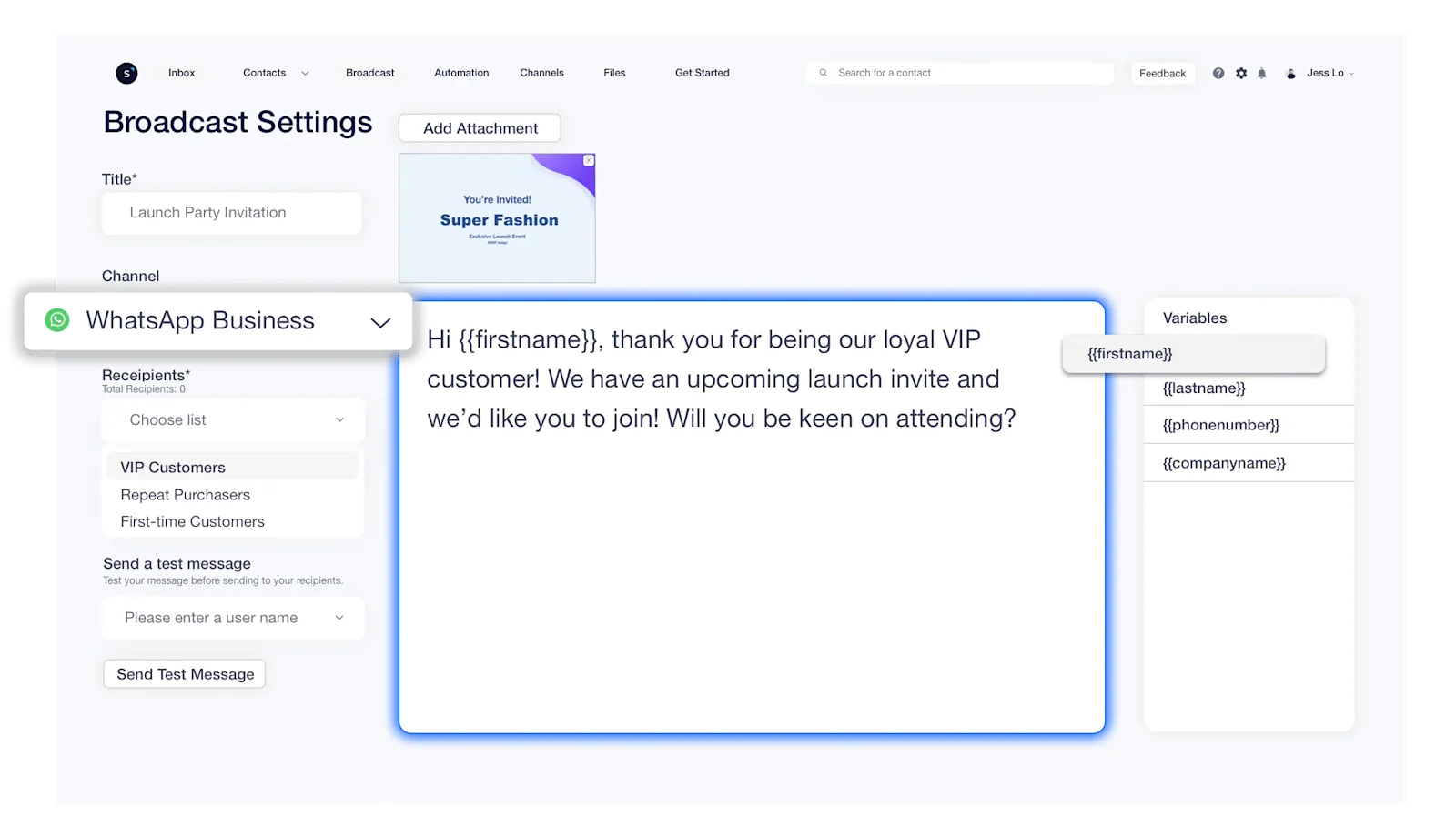
Test your campaign messages
You can send yourself a test message to ensure that the automated WhatsApp message content is showing up correctly before you broadcast it to your customers.
Broadcast WhatsApp messages at scale
By default, when using the official WhatsApp Business API, you can send up to 1,000 messages a day. However, if you send more than 500 messages within the first week, you can then increase your daily messaging limit to 10,000 messages per day with WhatsApp’s approval.
Tiers for WhatsApp messaging limits
To upgrade your WhatsApp messaging limit, you will need to keep track of the following:
Message quality rating is Medium or High
Phone number's status is connected
Total number of unique recipients across the past 7 days
By using SleekFlow’s campaign feature, you’ll not only be able to cut down on human error when copying, pasting, and editing messages but also save tons of time!
However, do note that before you broadcast automated messages using the campaign feature, you need to register your message and send it to WhatsApp for approval. This message is called a Template Message and if you don’t know how to get started, our SleekFlow team will be happy to help!
WhatsApp Business template messages
WhatsApp Template messages, as mentioned previously, are pre-approved message templates used for WhatsApp Broadcasts.
Template Messages are often utilized for:
Template Messages are required if more than 24 hours have passed since the user's last response. Any other type of message sent after this window will not be delivered.
To get your customized Template Messages approved on WhatsApp, follow these rules:
Name: Use only lowercase letters, numbers, and underscores. No spaces or special characters.
Type: Choose a category from the dropdown, such as appointment update, issue resolution, or payment update.
Translations: You must provide all translations in the required format. The element name stays the same across translations. When sending a message via the WhatsApp Business API, specify the language using the language field.
Variables:Use the format {{#}}, starting from {{1}} (e.g., {{1}}, {{2}}, {{3}}, etc.).
Each WhatsApp template message takes about 1–2 days for approval. If your template was rejected, check for these common issues:
Typos or grammatical errors.
Incorrect variable formatting. Ensure variables follow {{1}} format and don’t include special characters (e.g., #, $, %).
Mismatched language. The selected language must match the content.
Incorrect API submission format. Example:
Template name: test
Content: Hello {{1}}
Invalid or shortened URLs. Links must belong to your business.
Incorrect category selection. Choose the correct type: utility, authentication, or marketing.
Policy violations. Templates must comply with WhatsApp's Commerce and Business Policies.
To speed up approval, work with a WhatsApp Business Solution Provider (BSP) like SleekFlow and start sending messages faster!
Charges: WhatsApp Pricing Calculator
You can estimate how much you are charged under the new per-template message pricing model using SleekFlow's calculator! Check how much it would cost you to send WhatsApp messages to your customers.
Calculate your WhatsApp Business messaging costs
WhatsApp Business API charges vary depending on the message template category. Estimate your monthly charges now!
Why choose an official WhatsApp Business Solution Provider (BSP) for managing business conversations
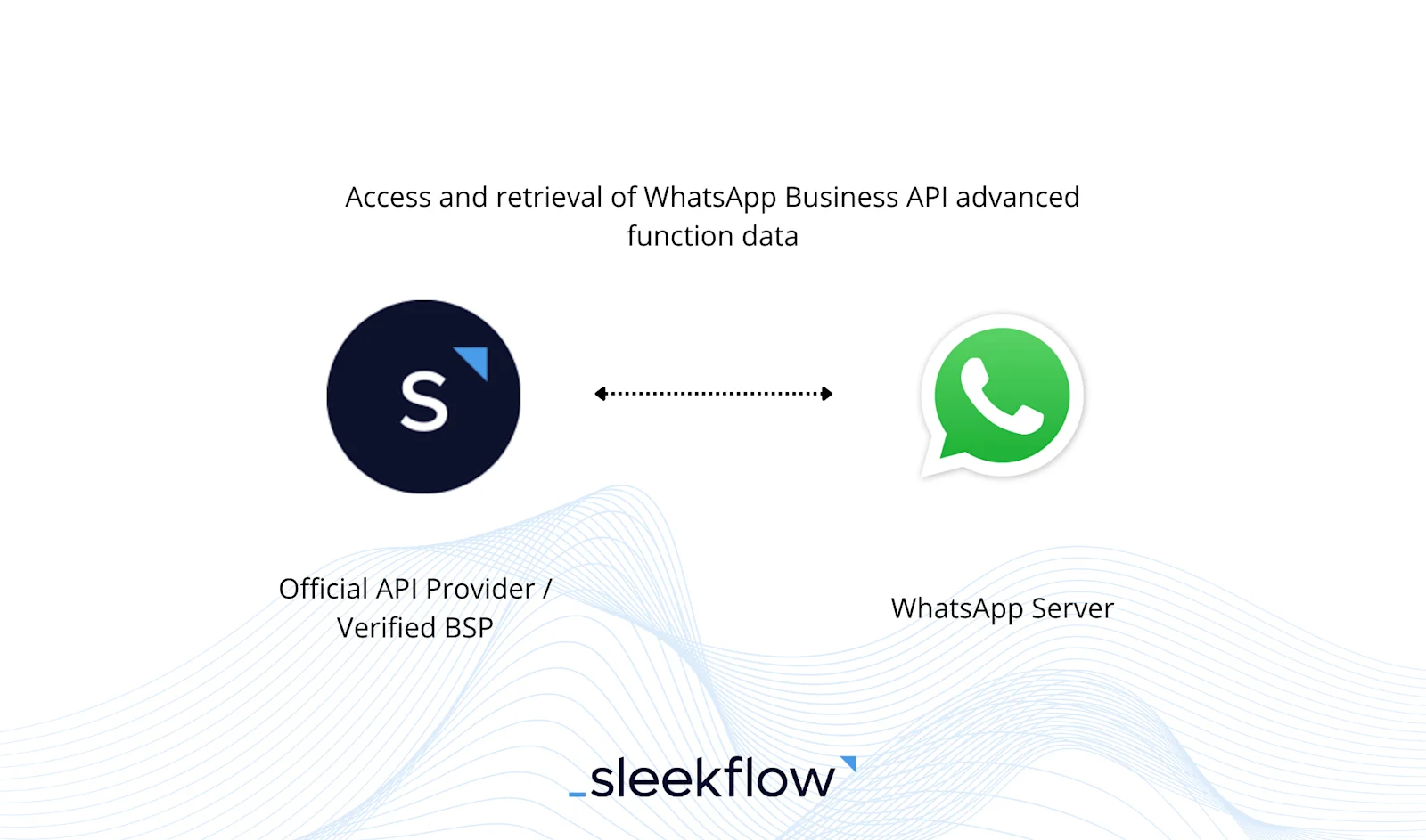
SleekFlow is a Meta-verified Business Solution Provider, a trusted platform that enables businesses to manage customer conversations securely and reliably.
Here's a diagram that quickly illustrates how customer data is handled directly between SleekFlow and WhatsApp's server without any interference from a third party.
Other benefits of SleekFlow as a WhatsApp BSP include:
Easy onboarding and support from SleekFlow
Ensure the best pricing for enterprise customers who need to manage a large volume of contacts
Be the first to experience the latest features from WhatsApp as BSPs work closely with Meta
Manage other social messaging channels, including Facebook Messenger, Instagram Direct Messages, and other channels in an omnichannel inbox
Build your own team of AI agents to manage WhatsApp conversations, lead scoring and contact segmentation.
CATS College Improved Their Marketing with WhatsApp and SleekFlow
CATS College, a creative arts and technology institution in Malaysia, was undergoing a rebranding during the pandemic.
Their marketing efforts were struggling. Telemarketing was ineffective, using three separate mobile numbers for inquiries created a fragmented brand image.
CATS College partnered with SleekFlow to implement the WhatsApp API. Using social CRM, they segmented contacts by demographics to send highly targeted broadcast campaigns.
A single broadcast campaign generated over RM50k in just 30 days.
Read rates increased by 20%, and response rates improved by 10%.
The college achieved an 8x increase in marketing efficiency.
There was a 60% return on investment (ROI).
The WhatsApp broadcast feature enables us to sieve through responses from top funnel awareness right down to the consideration stage within a very short period, from days to minutes.

Goh Doh Hau
VP of Sales and Marketing at CATS College
Use WhatsApp broadcast for your business or enterprise
WhatsApp Broadcast is an amazing feature, especially for online businesses that need to send a single message to multiple recipients. It can be used for various purposes, such as:
Sending automated messages.
Sharing promo messages with your customers.
Making company announcements for your employees and much more.
However, there are some challenges to using WhatsApp Broadcast. These challenges can be managed with the help of smart tools. For example:
You need to familiarize yourself with WhatsApp's rules to avoid issues.
Migrating your chat history before starting may be necessary.
Overusing the feature can increase the risk of being reported as spam.
Thus, learning to utilize WhatsApp Broadcast properly and effectively is essential if you plan to take advantage of this feature to scale.
Want to outcompete your peers with SleekFlow's help?
Book your personalised demo with SleekFlow today and unlock the potential of seamless communication


