How to apply for WhatsApp Business API in 2026


TL; DR: Quick Summary
- WhatsApp Business API is best for teams that need multi-agent access, automation, integrations, templates, and higher messaging scale. Smaller teams may still be fine with the WhatsApp Business app.
- Approval usually requires a Meta Business account, a verifiable phone number, a brand-matching display name, a live website or business presence, and a compliant messaging use case.
- For most businesses, applying through an official provider is easier than going direct through Meta, since the API alone does not give you a full workspace for collaboration, routing, or daily operations.
- Most delays happen when business details do not match, the phone number is already linked to WhatsApp, the display name looks promotional, the website is weak, or the use case raises policy concerns.
- Getting approved is only the start. Businesses still need approved templates, tested workflows, agent assignment, routing, automation, and CRM or Shopify integration before scaling messages.
- The real value comes after setup, when WhatsApp is connected to a shared inbox, permissions, templates, CRM or ecommerce tools, automation, opt-in management, and performance tracking.
- SleekFlow helps businesses scale WhatsApp with a shared inbox, routing, CRM integrations, broadcasts, lifecycle messaging, and AI automation
If your team has outgrown the WhatsApp Business app, applying for WhatsApp Business API is the next step.
The application process is much easier when you know what Meta checks before approval. In most cases, you need a verified business presence, an eligible phone number, and a clear messaging use case before you start setup. You also need to decide whether to apply directly through Meta or onboard through an official provider like SleekFlow.
This guide focuses on one job only: helping you apply for WhatsApp Business API successfully. It covers the exact requirements, the setup path, common approval issues, and what to do after your account goes live.
Quick answer
To apply for WhatsApp Business API, you need:
a Meta Business account
a business phone number that can receive SMS or voice verification
a business display name that matches your brand
a public business website or online presence
a compliant use case for marketing, sales, support, or notifications
What is WhatsApp Business API integration?
WhatsApp Business API, also called the WhatsApp Business Platform, is designed for businesses that need shared access, automation, integrations, and messaging at scale.
Unlike the WhatsApp Business app, the API is better suited for teams that need:
multiple agents on one WhatsApp number
chatbot and workflow automation
message templates for outbound notifications and campaigns
reporting, routing, and governance controls
If you only need one device and basic replies, the WhatsApp Business app may still be enough. If you need a team inbox, customer data sync, and scalable automation, the API is the better fit.
Who should apply for WhatsApp Business API?
WhatsApp Business API is a strong fit for businesses that:
handle high message volumes across sales, support, or marketing
want multiple teammates to reply from one WhatsApp channel
need to connect WhatsApp with Shopify, Salesforce, HubSpot, or other systems
want to automate qualification, routing, reminders, and follow-ups
plan to run broadcast, utility, or lifecycle messaging at scale
Typical users include ecommerce brands, education providers, healthcare-adjacent service businesses, financial services teams, property businesses, and enterprise support teams.
What you need before you apply
Before starting the application, prepare these five items.
1. A Meta Business account
You need access to Meta Business tools before you can set up a WhatsApp Business Account. Your business details should be accurate and consistent across your website, legal documents, and social profiles.
2. A phone number for WhatsApp Business API
Your number should be able to receive an SMS or phone call for verification.
In most cases, the number should not already be linked to an existing WhatsApp account. If your business already uses the WhatsApp Business app, you may be able to use the same number through coexistence or a guided migration path, depending on your setup.
3. A business display name
Your display name should clearly match your business brand. This is one of the most common review points during setup, so avoid generic names, extra symbols, or names that do not match your public business identity.
4. A public business website or business presence
Your website should clearly show:
your business name
your products or services
your contact details
your business address or location details where relevant
A weak or incomplete online presence can slow business verification.
5. A compliant use case
Your business should have a clear reason for using WhatsApp, such as:
customer support
lead qualification
order updates
appointment reminders
post-purchase communication
promotional campaigns where allowed
If your business model falls into a restricted category, review Meta policy requirements before starting.
How to apply for WhatsApp Business API step by step
Step 1: Choose how you want to onboard
You have two options:
Apply directly through Meta
Best for businesses with strong in-house technical resources and time to manage setup, templates, and ongoing administration.
Apply through an official provider like SleekFlow
Best for businesses that want faster setup, a team inbox, automation, and support with onboarding and activation.
For most commercial teams, the second path is more practical because the API alone does not give you a full messaging workspace.
Step 2: Prepare your business assets
Before opening the signup flow, confirm that you have:
your Meta Business account login
your legal business details
your website URL
your preferred display name
your business phone number
Make sure your business name is written the same way everywhere. Small mismatches between your website, legal documents, and display name can delay approval.
Step 3: Start Embedded Signup
Embedded Signup is the guided onboarding flow used by official providers to connect your Meta business assets, create or link your WhatsApp Business Account, and register your phone number.
During this step, you will usually:
log in with Facebook
connect or create your Meta business account
create or select a WhatsApp Business Account
enter your display name
add your phone number
approve permissions
This is the stage where most businesses either complete setup quickly or get stuck due to avoidable preparation gaps.
Step 4: Verify your phone number
Meta will verify your business phone number by SMS or voice call.
To avoid delays:
use a number you control directly
make sure you can receive the verification code immediately
remove any conflicting WhatsApp setup if required
disable old two-step verification on migrated numbers when necessary
Once verified, the number can be registered to your WhatsApp Business Account
Step 5: Submit your display name for review
Your display name should reflect the real business customers know.
Good examples:
SleekFlow
SleekFlow Singapore
SleekFlow Support
Higher-risk examples:
Best Deals 24/7
Official Sales Team Global
names filled with symbols or promotional wording
If the display name is rejected, review whether it clearly matches your website and brand identity.
Step 6: Complete business verification if needed
Some businesses can begin with limited messaging access before full business verification is complete, but verification is still important for scaling and credibility.
To improve approval chances:
use official business documents
match the legal name exactly
keep your website live and complete
show the same brand details across all business assets
Step 7: Create your first message templates
After setup, you will usually need approved templates before sending certain outbound business-initiated messages.
Start with practical templates such as:
order confirmation
appointment reminder
lead follow-up
support handoff
welcome message after opt-in
Keep them clear, useful, and policy-compliant.
Step 8: Test the full messaging flow
Before going live, test:
inbound replies
agent assignment
template delivery
automation logic
CRM or Shopify sync
routing and notifications
This step is often skipped, but it is where you catch operational issues before customers do.
Troubleshooting: common reasons applications get delayed
This section should be prominent because it answers high-intent questions and builds trust.
The most common issues are:
Business details do not match
Your business name, website, and legal documents should align.
The phone number is already in use
A number that is still tied to another WhatsApp setup can block or delay registration.
The display name is too generic or promotional
Meta typically reviews whether the display name clearly represents the business.
The website is incomplete
If your website does not clearly show what your business does or how customers can contact you, verification may take longer.
Policy fit is unclear
If your use case sits near restricted categories, make sure your messaging plan is compliant before you apply.
What happens after your account is approved?
Approval is only the beginning. Once your WhatsApp Business API account is active, the next priorities are:
connect your team inbox
assign teams and permissions
submit and organize templates
connect your CRM or ecommerce stack
build routing and follow-up automation
define opt-in collection and campaign rules
measure response time, conversion, and message quality
This is where businesses move from setup to ROI.
How SleekFlow helps after setup
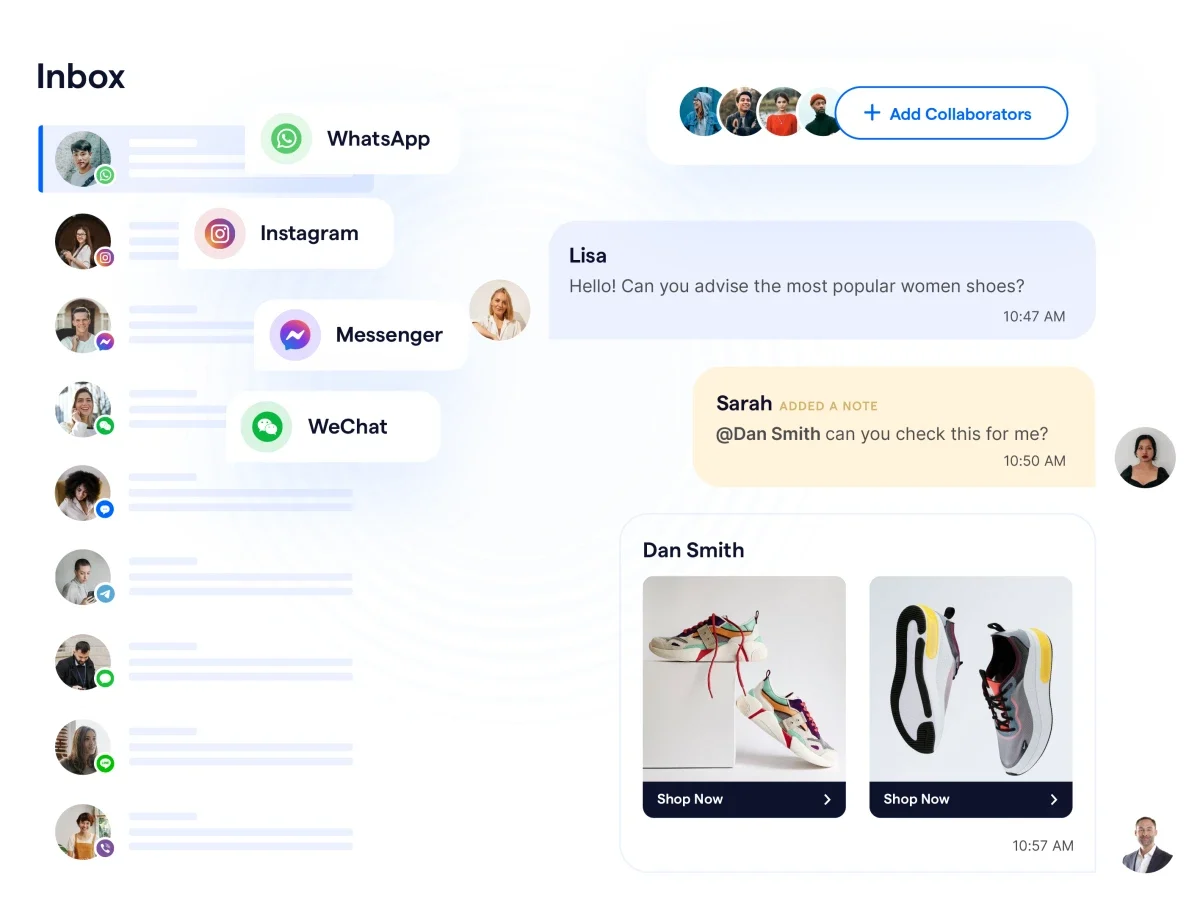
SleekFlow is the ultimate platform designed to enhance your WhatsApp Business strategy by helping you sell, support, and convert more effectively on social media. With SleekFlow, businesses can move beyond setup and actually run WhatsApp at scale through:
a shared omnichannel inbox
conversation assignment and routing
CRM integrations
WhatsApp broadcasts and lifecycle messaging
AI agents and automation workflows
governance features for larger teams
How Tian Wei Signature improved customer communication with SleekFlow
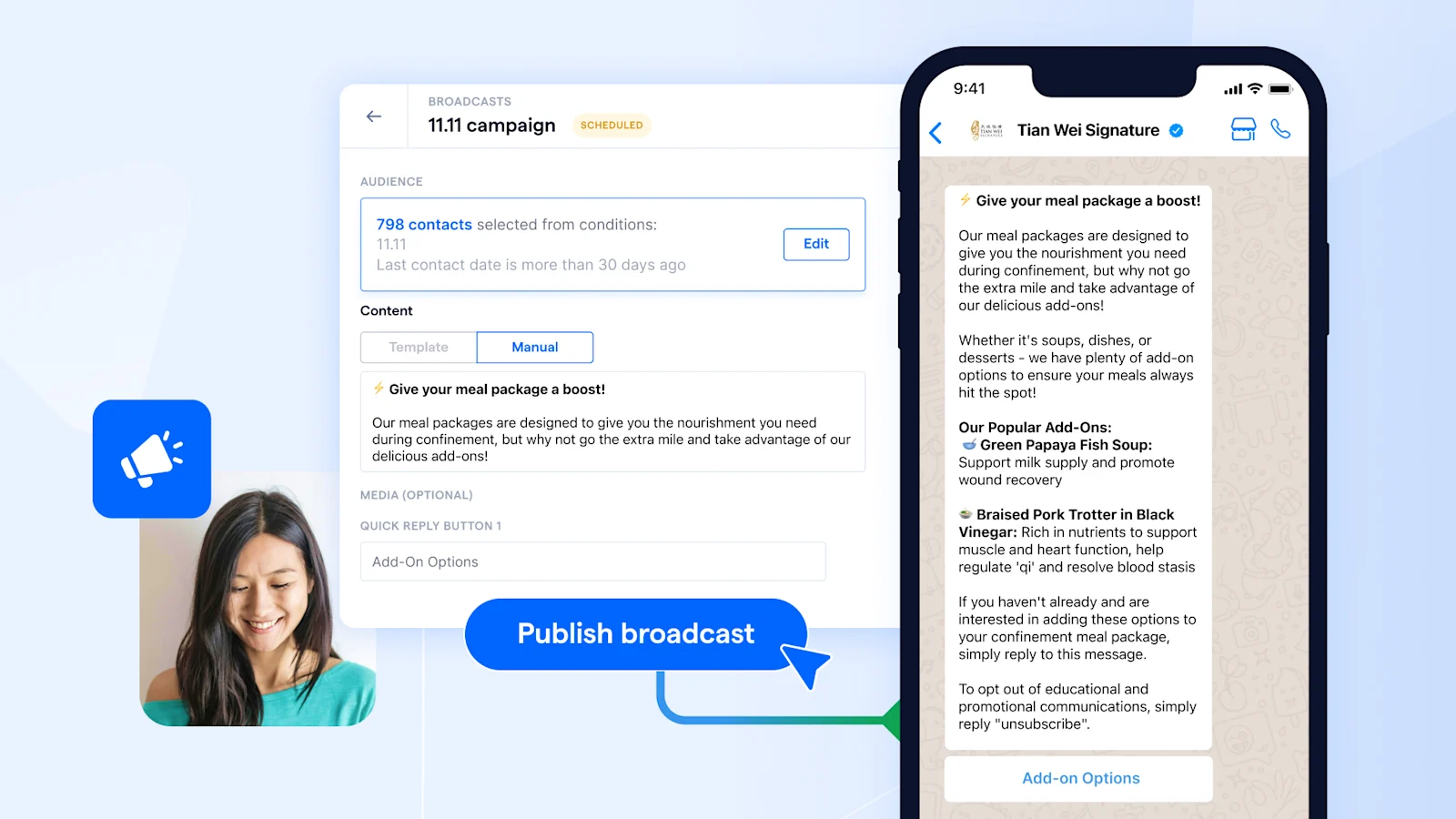
Tian Wei Signature, a confinement meal provider in Singapore, used SleekFlow to improve customer engagement across WhatsApp and other channels. Before switching, the team relied on the free WhatsApp Business app, which created two operational issues:
limited broadcast capacity and manual message personalisation
fragmented conversations across phone, WhatsApp, email, Facebook, and Instagram
After adopting SleekFlow, Tian Wei Signature used WhatsApp broadcasts, analytics, automation, chatbot flows, and a shared omnichannel inbox to manage customer communication more efficiently.
Key outcomes included:
2X increase in efficiency
20% improvement in customer satisfaction
40% increase in response rate
Start Your WhatsApp Business API Integration with SleekFlow
Don’t miss out on the opportunity to transform your communication strategy. Apply for the WhatsApp Business API today and start using SleekFlow to power your business’s customer engagement and sales.
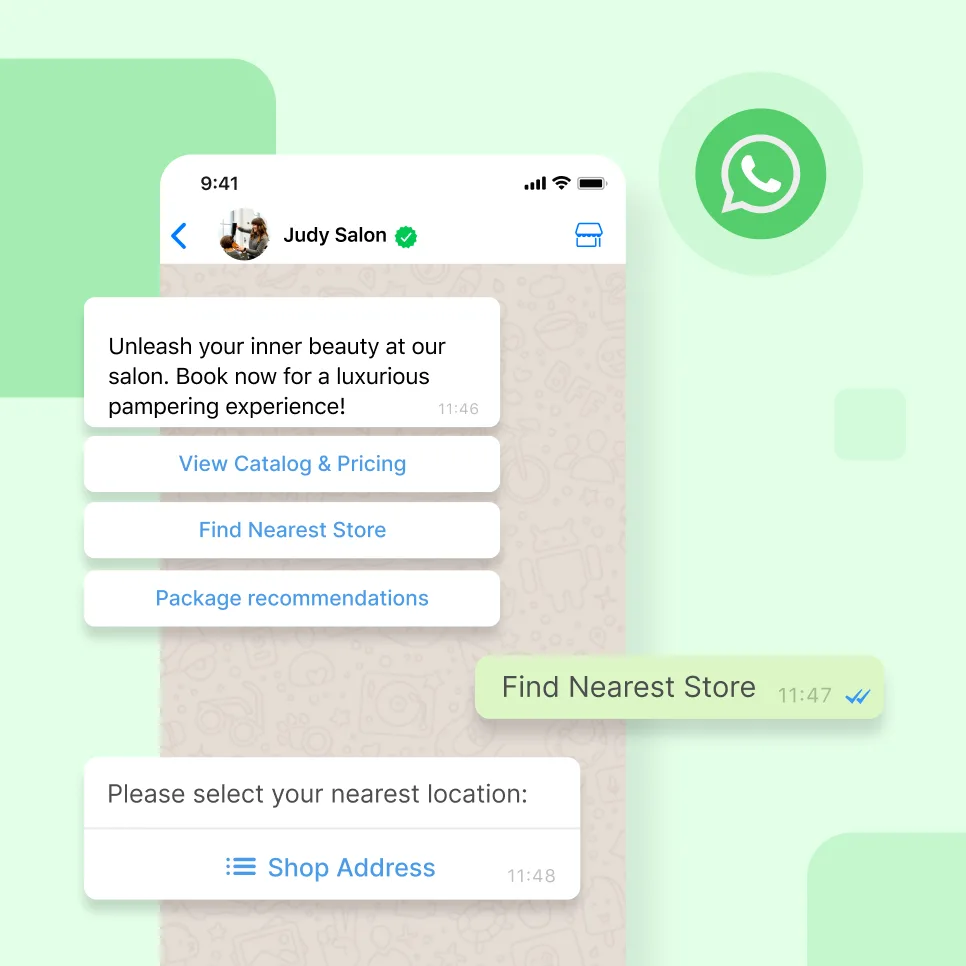
Go beyond basic messaging— engage and convert with WhatsApp
Book your personalised demo with SleekFlow today and let us show you the full marketing potential of WhatsApp


