WhatsApp Pay in Malaysia: what’s available in 2026 + the best alternative for businesses


TL;DR: Quick Summary
- WhatsApp Pay is WhatsApp’s native in-chat payment feature, but it isn’t available in Malaysia (it’s currently supported in India, Brazil, Mexico, and Indonesia).
- In Malaysia, businesses can still collect payments through WhatsApp by sending customers a secure payment link to complete checkout.
- SleekFlow improves this experience by connecting product catalogs, payment links, and automated follow-ups, so customers can move from enquiry to checkout with fewer steps.
- A faster checkout flow in chat can reduce payment delays and improve customer experience, especially for delivery, pickup, or time-sensitive orders.
- Lotus’s Malaysia is a real example: customers order via WhatsApp, then receive a payment link that directs them to a secured online payment page, supporting an omnichannel Order & Collect flow.
WhatsApp Pay is WhatsApp’s in-chat payment feature, but it isn’t available in Malaysia right now. WhatsApp’s official list currently limits business payments to India, Brazil, Mexico, and Indonesia.
The good news is Malaysian businesses can still take payments on WhatsApp by sending secure payment links (via FPX/cards/e-wallets through a payment gateway) and confirming payment in chat.
In this guide, you’ll see the step-by-step flow—and how brands like Lotus’s use WhatsApp + payment links to reduce checkout friction.
How WhatsApp Pay works
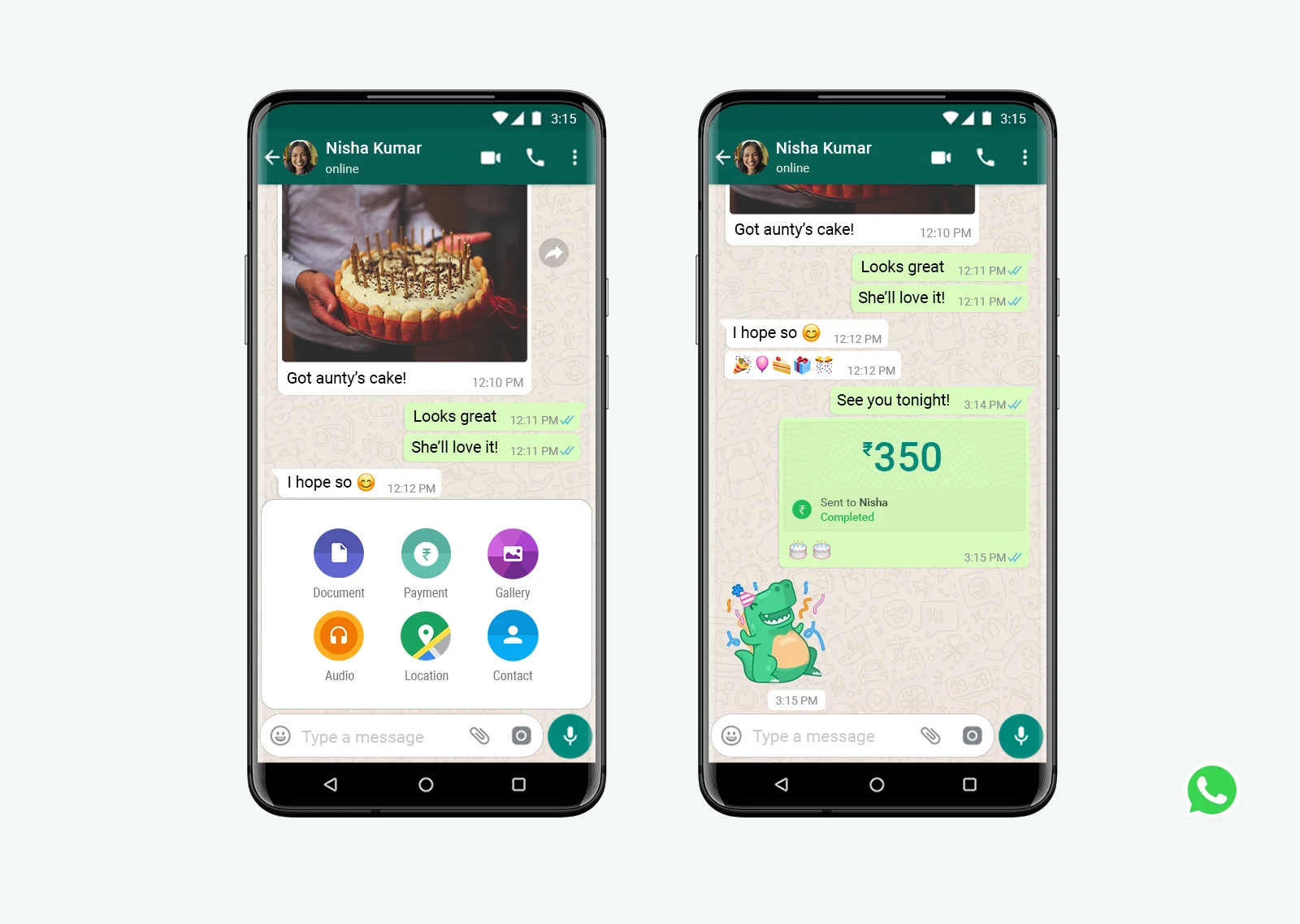
WhatsApp Pay is WhatsApp’s built-in payment feature designed to make sending money “as easy as sending a message.” In practice, it’s only available in certain markets. Right now, you can pay registered businesses on WhatsApp in India, Brazil, Mexico, and Indonesia.
How it works depends on local payment rails. For example, in India, WhatsApp Payments connects to UPI through a linked bank account; in Brazil, business payments can use Pix.
In supported countries, the flow usually looks like this:
1. Open WhatsApp settings and go to Payments (you’ll only see this if you’re in a supported country).
2. Add your payment method (e.g., link a bank account / set up Pix).
3. In a chat, tap the payment option, enter the amount, and confirm.
4. The payment status/confirmation appears in the chat so the conversation can continue without switching channels.
One important update: WhatsApp notes that direct card payments to businesses on WhatsApp were discontinued as of Jan 15, 2026, so available payment options can differ by country.
Don’t see Payments in your WhatsApp settings? That’s expected in Malaysia; WhatsApp Pay isn’t available here yet. Next, we’ll look at the most practical alternative Malaysian businesses use today: secure payment links shared in WhatsApp chats.
How can Malaysian customer pay you on WhatsApp?
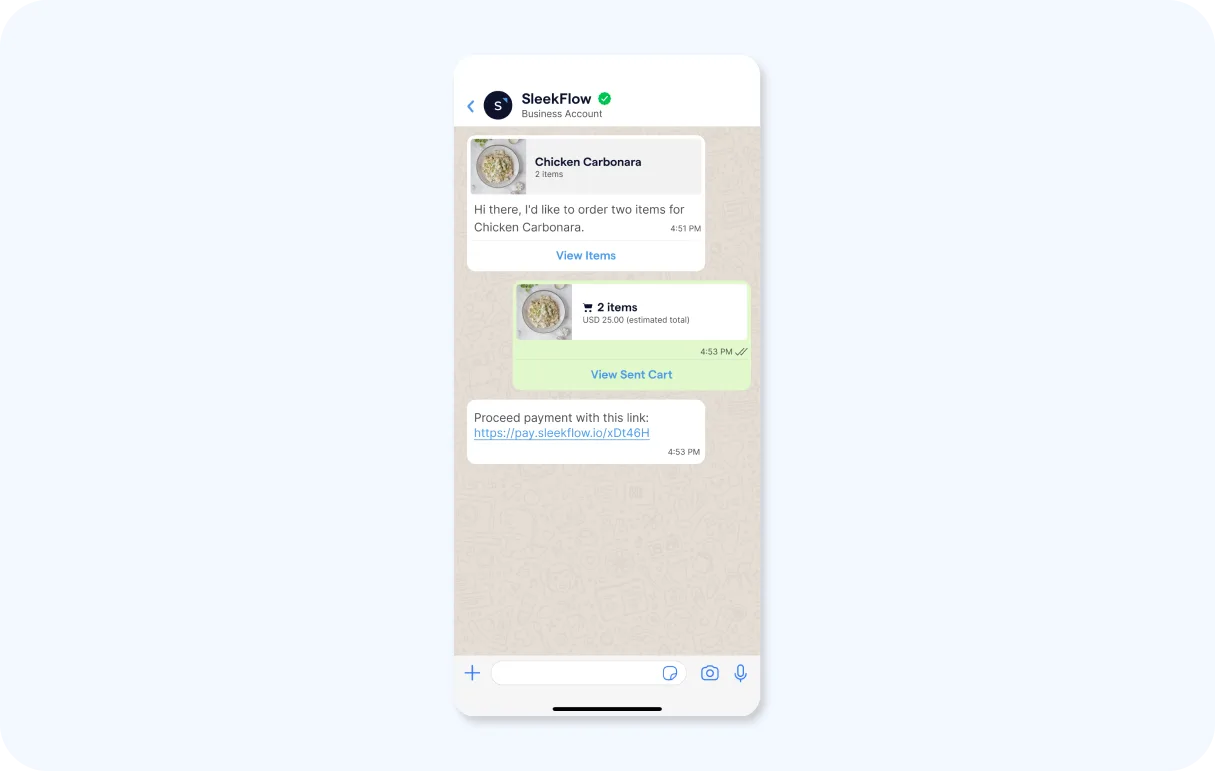
Since WhatsApp Pay isn’t available in Malaysia, the most practical setup is: chat on WhatsApp → send a secure payment link → customer pays using familiar Malaysian methods → you confirm in chat.
Here are the payment methods Malaysians already recognize (and what they’re best for):
FPX (online banking): customers pay via their internet banking, with real-time confirmations for online checkout.
DuitNow (QR / bank & eWallet options): great for scan-and-pay and fast transfers across supported apps.
Cards + e-wallets: offered by many payment providers, often alongside FPX so customers can choose what’s easiest.
Step-by-step: take payments on WhatsApp in Malaysia
1. Pick the payment methods you want to offer
A simple default is FPX + cards + e-wallets, then add DuitNow QR if you also sell in-store or do delivery/pickup.
2. Choose a payment provider that supports payment links + Malaysian rails
Look for a provider that lets you generate payment links and supports FPX/cards/e-wallets in Malaysia. (Example: Curlec explicitly positions payment links that can be shared via WhatsApp and supports FPX, cards, and e-wallets.)
3. Create a payment link with an order reference
Include: amount, order ID/reference, and an expiry time (so you can reconcile payments cleanly).
4. Send the link in WhatsApp with clear instructions.
Example copy you can paste:
“Here’s your payment link for Order #1234 (valid for 30 minutes): [link]. Once payment is successful, reply ‘PAID’, and we’ll confirm your order immediately.”
5. Confirm payment and continue the flow
Once paid, send: receipt confirmation + next step (delivery ETA, pickup time, booking confirmation). For FPX and DuitNow-style payments, real-time confirmations are a key benefit.
6. Handle “unpaid” and “failed payment” cases without spamming.
After 1–2 hours: “Just checking—do you need a new link or prefer another method?” OR you can offer an alternate method: “Want to pay via FPX instead?” / “Prefer card/e-wallet?”
7. If you sell offline too, add DuitNow QR as a backup
When customers want to pay at pickup, a DuitNow QR code option is fast and familiar, and you can continue receipt/order updates in the same WhatsApp thread.
Benefits of WhatsApp in-chat payment
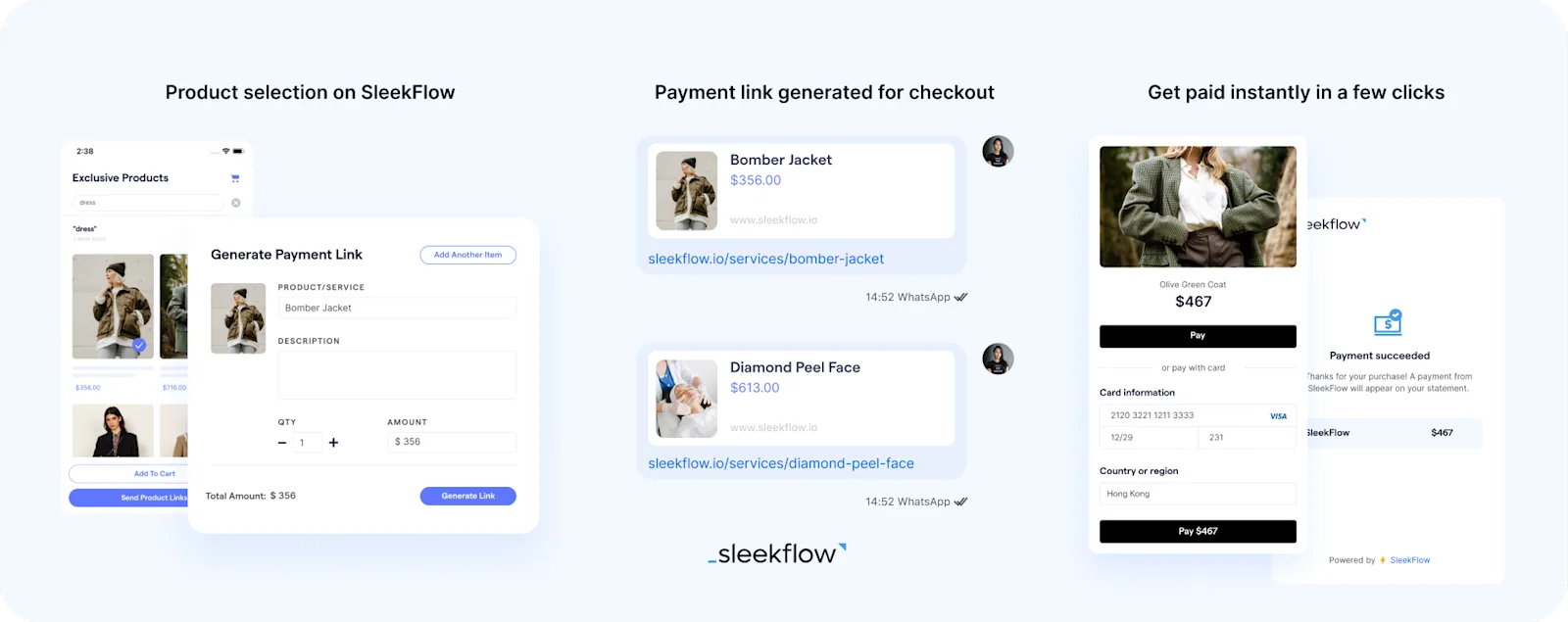
Why does getting paid on WhatsApp work so well in Malaysia? In countries where it’s supported, WhatsApp Pay lets customers pay without leaving the chat. But in Malaysia, you can still recreate most of that “in-chat checkout” experience using secure payment links and familiar local payment methods.
Fewer drop-offs at checkout
Customers don’t need to switch channels or wait for manual bank details—tap the link, pay, and return to the same chat.
Faster payment confirmation
Once payment is completed, you can confirm instantly and move straight to delivery/pickup details.
More trust, less back-and-forth
A payment link sends customers to a secure checkout page, so they don’t need to type sensitive details in chat.
Works with how Malaysians already pay
You can offer options customers recognise (like FPX/DuitNow QR plus cards/e-wallets depending on your provider). PayNet lists Malaysia’s rails like FPX and DuitNow QR as part of its national payments suite.
Real life example: Lotus’s Malaysia allows customers to order, pay, and collect via WhatsApp
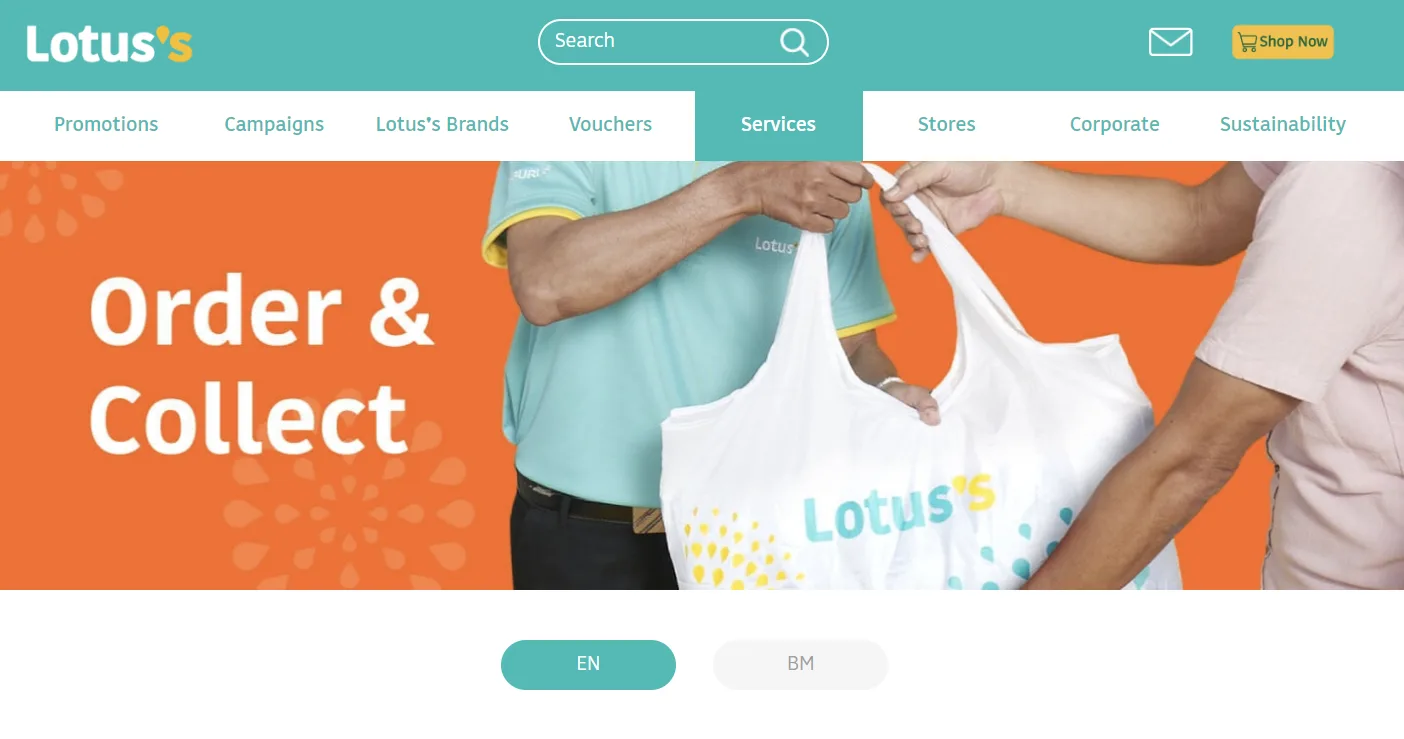
Lotus’s Malaysia, once known as Tesco Malaysia, is an omnichannel retailer that has surged ahead with its ‘Order & Collect’ service on WhatsApp since the end of 2021. It is a good example of learning how to sell on WhatsApp.
Powered by e-GHL, the unlimited orders placed on WhatsApp can be paid through cards, e-wallets, and online banking directly in the chat. Other than attracting more customers, this swift and hassle-free in-chat payment method has allowed Malaysian shoppers to maintain physical distancing before the COVID-19 pandemic and now enables busy office workers, the elderly, chronic patients, and the disabled community to shop for necessities easily and conveniently.
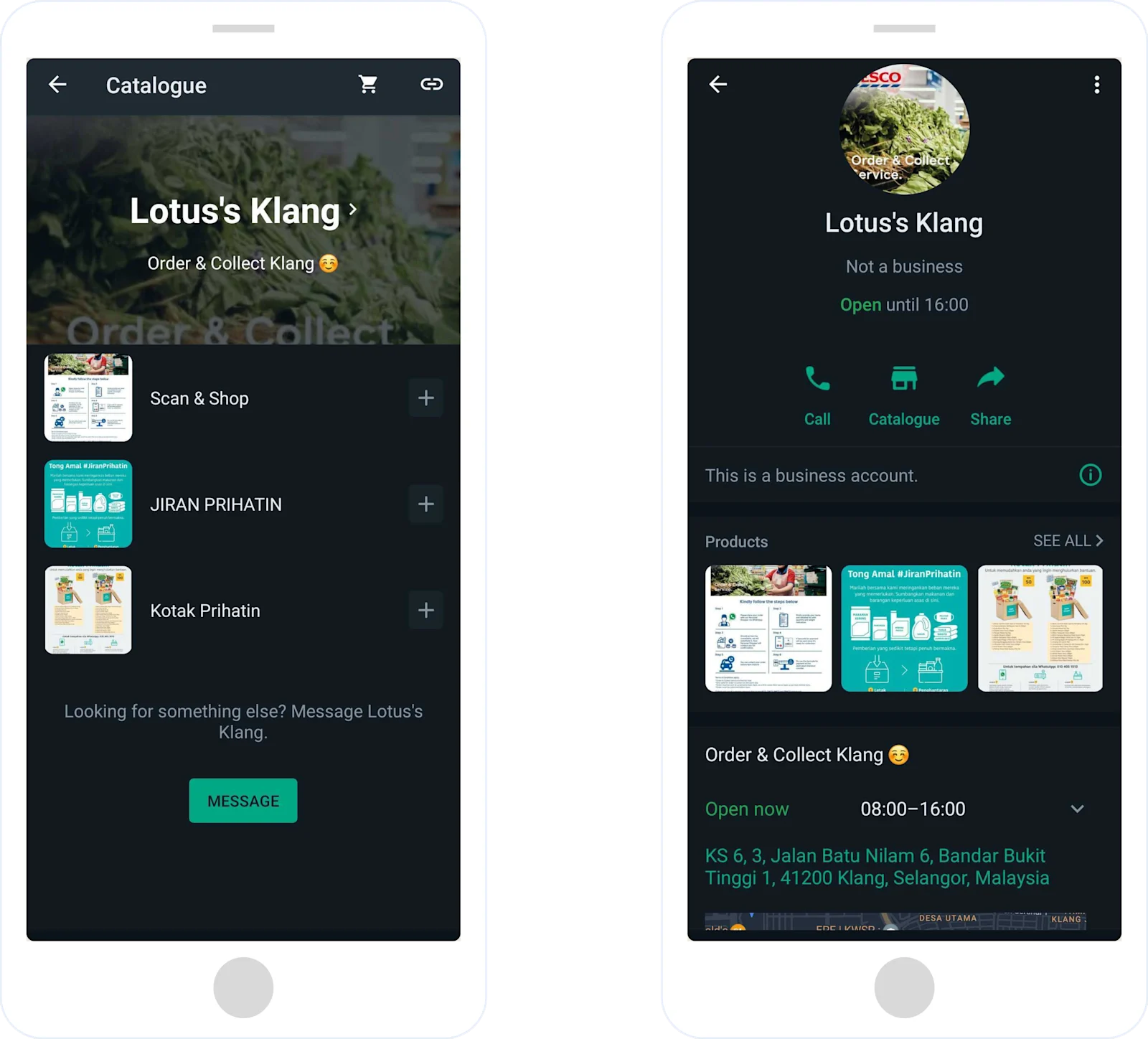
The whole process only takes 6 simple steps:
Send a WhatsApp message to Lotus's preferred branch.
A personal shopper will reply as you send your name, contact number, email address, Lotus’s account, and payment method (in-store payment can also be made if desired).
The personal shopper assigned to you will contact you to substitute unavailable items.
Once the order is confirmed, an online payment link will be sent to you.
Just complete the payment and send the receipt to your personal shopper.
Lastly, your order is to be collected by 6 pm through one of the following methods:
Self-collect through a dedicated counter in-store
Self-collect through a dedicated counter in-store
Drive-thru pickup
Third-party delivery using services such as Lalamove, GoGet, etc.
As you can see from above, the comprehensive shopping experience can be completed all in the WhatsApp chat.
Learn how to incorporate omnichannel marketing successfully, like Lotus’s Malaysia.
Create and accept payment in WhatsApp with SleekFlow
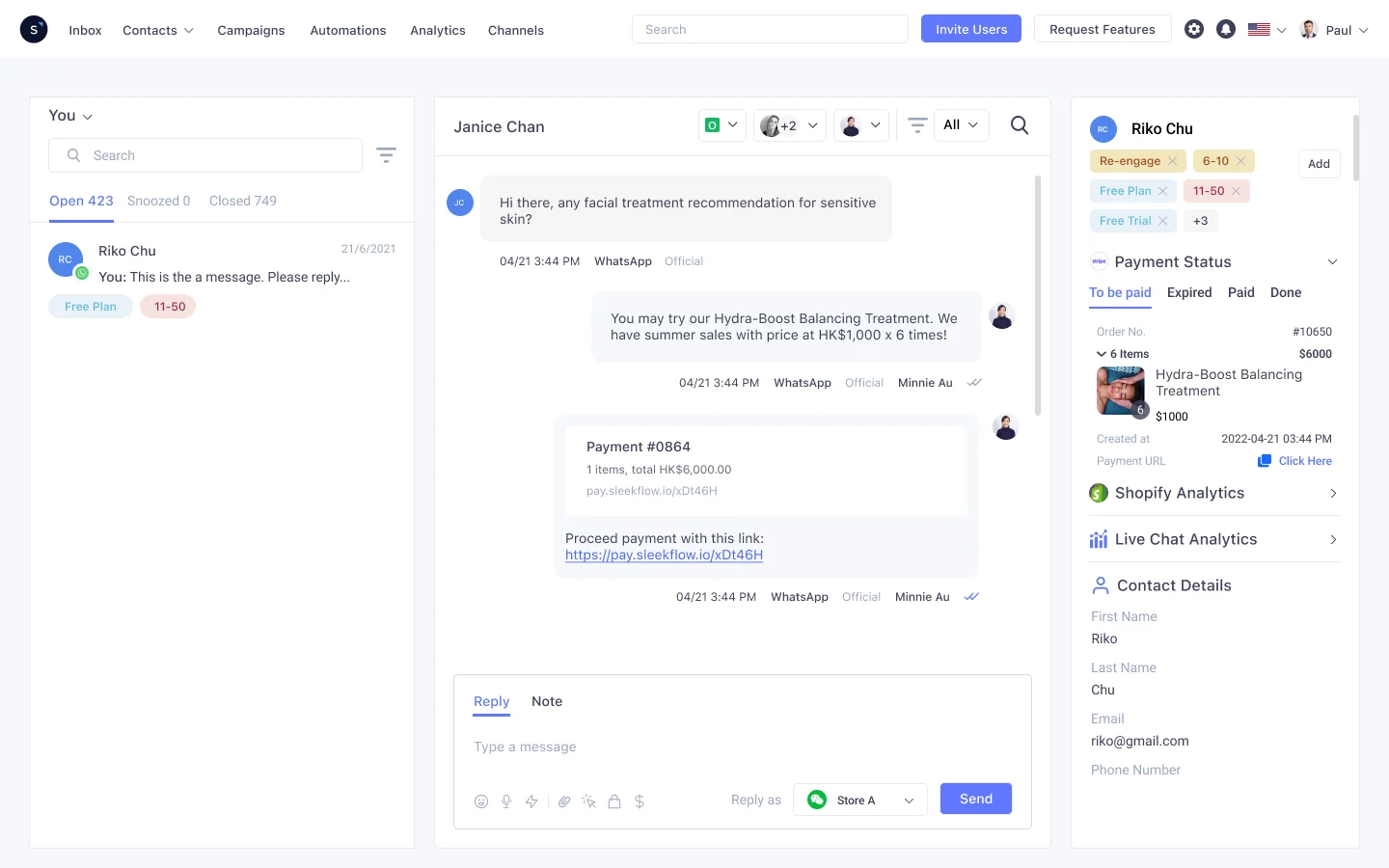
SleekFlow, constantly striving to help businesses, especially retail and O2O businesses, sell, support, and convert better in the chat, acknowledges the criticality of WhatsApp Pay in completing the comprehensive social commerce experience.
From marketing, managing enquiries and allowing customers to explore products using WhatsApp catalogues to checkout and instant payment, every step and decision along the way contributes to the highly desired smooth, frictionless path to purchase.
Using this newly launched in-chat payment feature and chatbots, your business's overall revenue and productivity are more extensive. Together with other features such as WhatsApp blast messages, native Shopify integration, automation, and chatbots, the overall revenue and productivity of your business can be explored to the fullest potential.
Further reading: blasting messages through WhatsApp marketing
Our journey with SleekFlow has been transformative. The user-friendly interface, especially of the mobile app and Broadcast, has simplified our operations significantly and brought a noticeable increase in online sales conversions.

OTO Retail Operations and Marketing Teams
Leveraging technological innovations such as tools on WhatsApp for Business may take time, but it does not have to be difficult or costly. With good budget planning, the returns generated over time will show speed, efficiency, and quality.

Want to outcompete your peers with SleekFlow's help?
Book your personalised demo with SleekFlow today and unlock the potential of seamless communication


