WhatsApp Booking System: How to Set Up WhatsApp Appointment Booking


TL; DR: Quick Summary
- A WhatsApp booking system lets customers book, confirm, reschedule, or cancel appointments directly in chat.
- Businesses can create multiple entry points with WhatsApp links, QR codes, and click-to-WhatsApp ads.
- Chatbots can collect booking details automatically, which reduces manual work and missed enquiries.
- Booking data should be stored in a central record and synced with a CRM for reminders and follow-ups.
- Using WhatsApp for bookings improves convenience, speeds up responses, and helps teams manage appointments more efficiently.
WhatsApp can be a powerful booking channel for businesses that want to let customers book, confirm, reschedule, or cancel appointments in chat. Instead of relying on phone calls or email, businesses can use WhatsApp to make bookings faster, more convenient, and easier to manage at scale. Your customers get instant responses, while your team gets a more efficient way to handle appointment requests. This is especially useful for businesses that want to reduce manual work, avoid double bookings, and keep communication in one place.
In this guide, we will show you how to set up a WhatsApp booking system using the same building blocks already covered in your current article: WhatsApp links and QR codes, chatbot automation, booking records, CRM syncing, and click-to-WhatsApp ads.
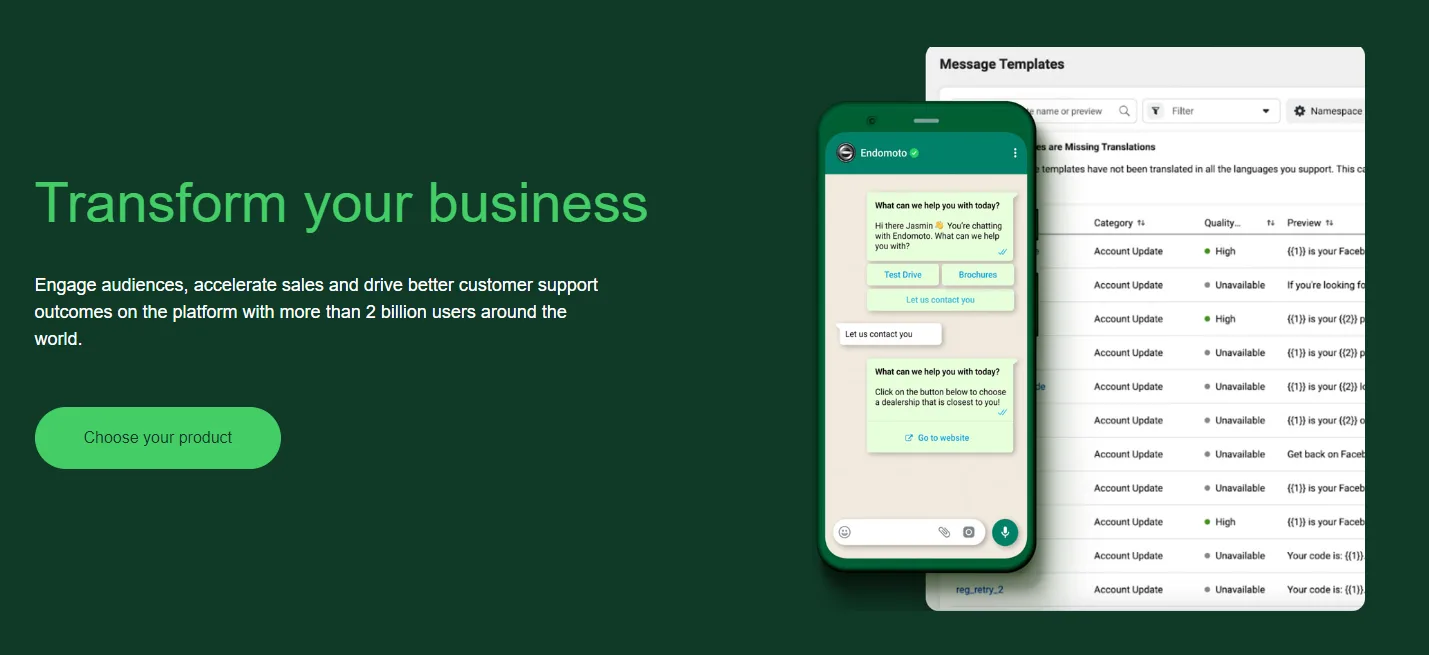
What is a WhatsApp booking system?
A WhatsApp booking system is a setup that allows customers to start a conversation with your business on WhatsApp and complete actions such as making a reservation, booking an appointment, confirming details, or receiving reminders. Your current article already positions WhatsApp as a channel for customers to schedule, change, or cancel appointments directly in chat.
A good WhatsApp booking system should help you:
make it easy for customers to start a booking conversation
collect the right booking details automatically
store booking information in one place
send confirmations and reminders
re-engage customers with promotions or follow-ups
How to set up WhatsApp appointment booking
Step 1: Create multiple WhatsApp entry points
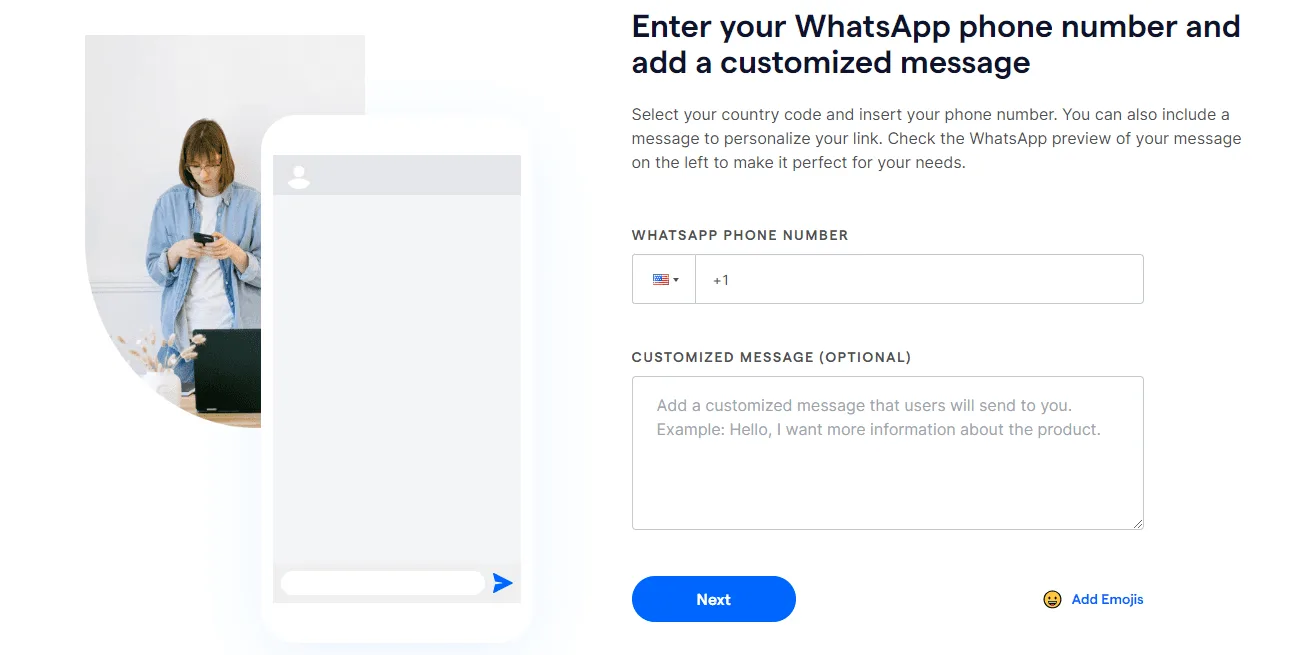
The first step is making it easy for customers to reach you. Start by creating a direct WhatsApp link for your business. Then create unique WhatsApp links for specific branches, services, or campaigns to track where booking enquiries are coming from. Add preset messages such as “Hi, I’d like to book an appointment” or “I want to reserve a table” to reduce friction and help customers begin the booking process faster. You can also convert these links into QR codes and place them anywhere customers interact with your brand.
Step 2: Build a WhatsApp chatbot to collect booking details automatically
Once customers message you, the next step is to guide them through the booking flow. You can do this by creating a WhatsApp chatbot that asks a series of questions, such as:
What service would you like to book?
Which date works for you?
What time do you prefer?
How many people are included?
Do you have any special requests?
Once the chatbot collects the required details, the conversation can be routed to a team member for confirmation, or continued automatically if your workflow supports it. This reduces response time, cuts manual effort, and helps prevent missed enquiries during busy periods.
Step 3: Store and track booking information in a centralised database
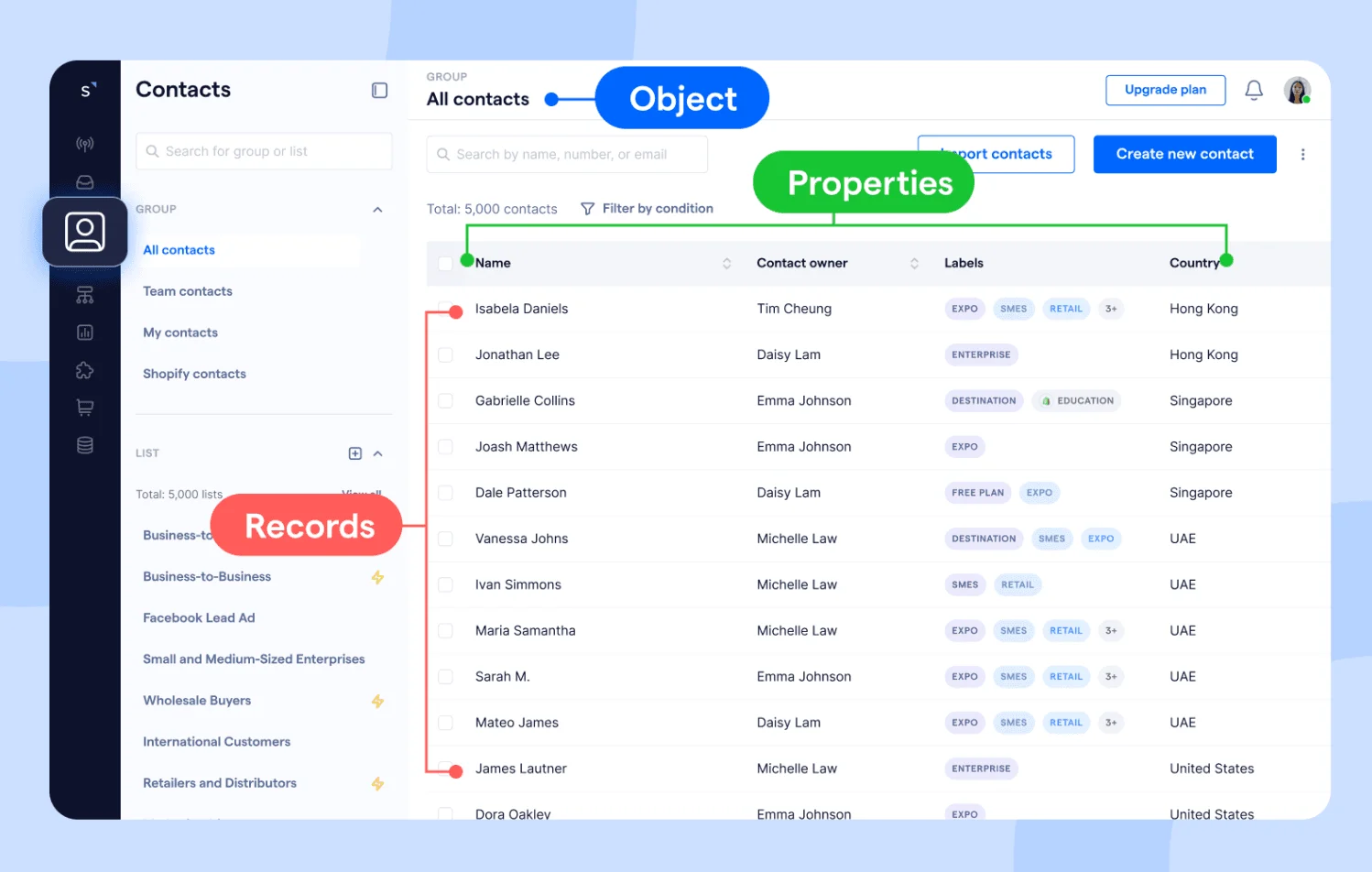
After collecting customer details, store each booking in a central record. This record should include core fields such as booking ID, customer name, service type, appointment date, time, and booking status.
With many details to track, this is where custom objects become useful. A custom object is a data entity you can tailor to your business, so you can create a dedicated booking record with the fields that matter most to your workflow.
With all booking details visible alongside the customer’s WhatsApp conversation, your team can confirm appointments faster, review past interactions, and reduce the risk of missed or duplicate bookings.
SleekFlow has improved our customer service efficiency and quality, resulting in 30% more successful bookings. It has also saved us costs on staffing and facilitated a unified brand experience.

Suki Tsui
Founder of Sun and Moon Massage
Step 4: Sync WhatsApp booking data with your CRM for reminders and follow-ups
Once your booking information is captured, sync it with your CRM so you can manage the full customer journey, not just the initial appointment request. This makes it easier to send booking confirmations, reminder messages, follow-up offers, and personalised promotions. It also gives your team a centralised view of booking behaviour, which can help improve customer retention and increase the number of repeat appointments.
Step 5: Use click-to-WhatsApp ads to bring in more bookings
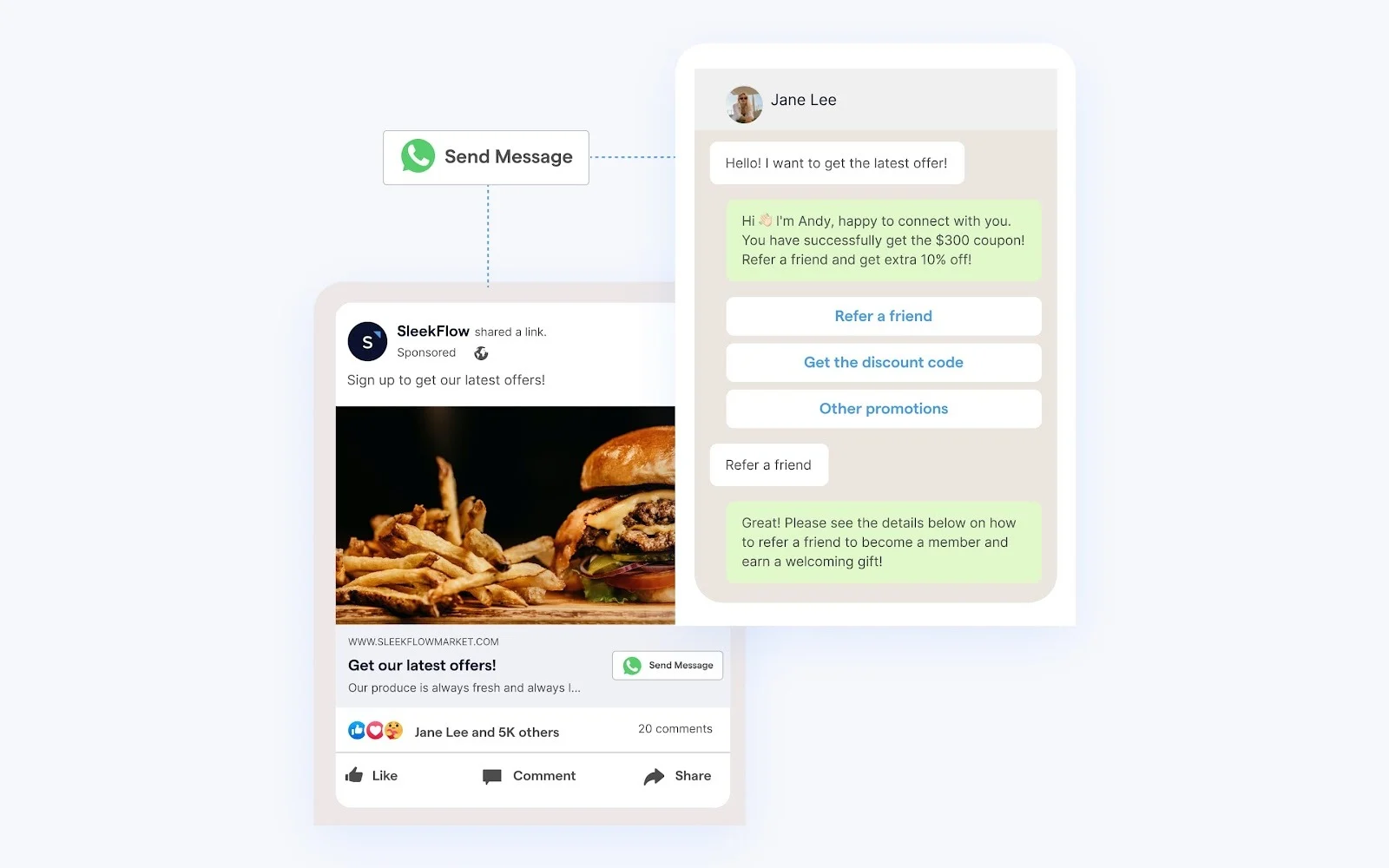
Once your booking workflow is ready, use click-to-WhatsApp ads to drive more people into the conversation. These ads can send interested customers directly from social media into WhatsApp, where your automated flow can take over and guide them through the booking process. This works especially well for time-sensitive offers, seasonal promotions, or businesses that want to turn campaign traffic into appointment conversations immediately.
Tip: When customers send a message from click-to-WhatsApp ads, that conversation is free for 72 hours. Take this opportunity to engage with your customers, understand their needs, and guide them toward tailored solutions.
Why use a WhatsApp booking system?
Businesses use WhatsApp for bookings because it makes appointment handling more convenient for customers and more efficient for staff. Customers can message on a familiar channel, receive instant confirmations, and avoid back-and-forth emails or call queues. Businesses can automate routine replies, reduce manual workload, send reminders, and use customer data to personalise follow-ups and promotions.
1. Increased convenience
Customers can book appointments or make online reservations over their preferred channel, which is WhatsApp chat, helping them avoid call queues or back-and-forth emails. They can also easily schedule appointments and receive instant business responses on booking confirmation 24/7, enhancing the overall customer experience.
2. Increased efficiency
Features like chatbots can handle inquiries and bookings without human intervention, reducing the workload on staff and minimizing the risk of errors or double bookings.
3. Improved customer engagement
With WhatsApp, businesses can maintain continuous communication with their customers. This platform allows them to send automated reminders, updates, and even marketing messages directly to customers' phones, enhancing engagement and customer retention.
4. Effective marketing and promotions
WhatsApp is a powerful tool for promoting special events and offers, and it is even more effective when integrated with a CRM platform.
With the synchronization of data between WhatsApp and a CRM platform, you can analyze booking patterns, and interactions and can better understand your customers’ preferences.
Businesses can also send marketing and promotional materials that encourage booking and are tailored to the customer's specific needs. This provides a more personalized experience and ultimately increases the chance of conversion.
How SleekFlow helps
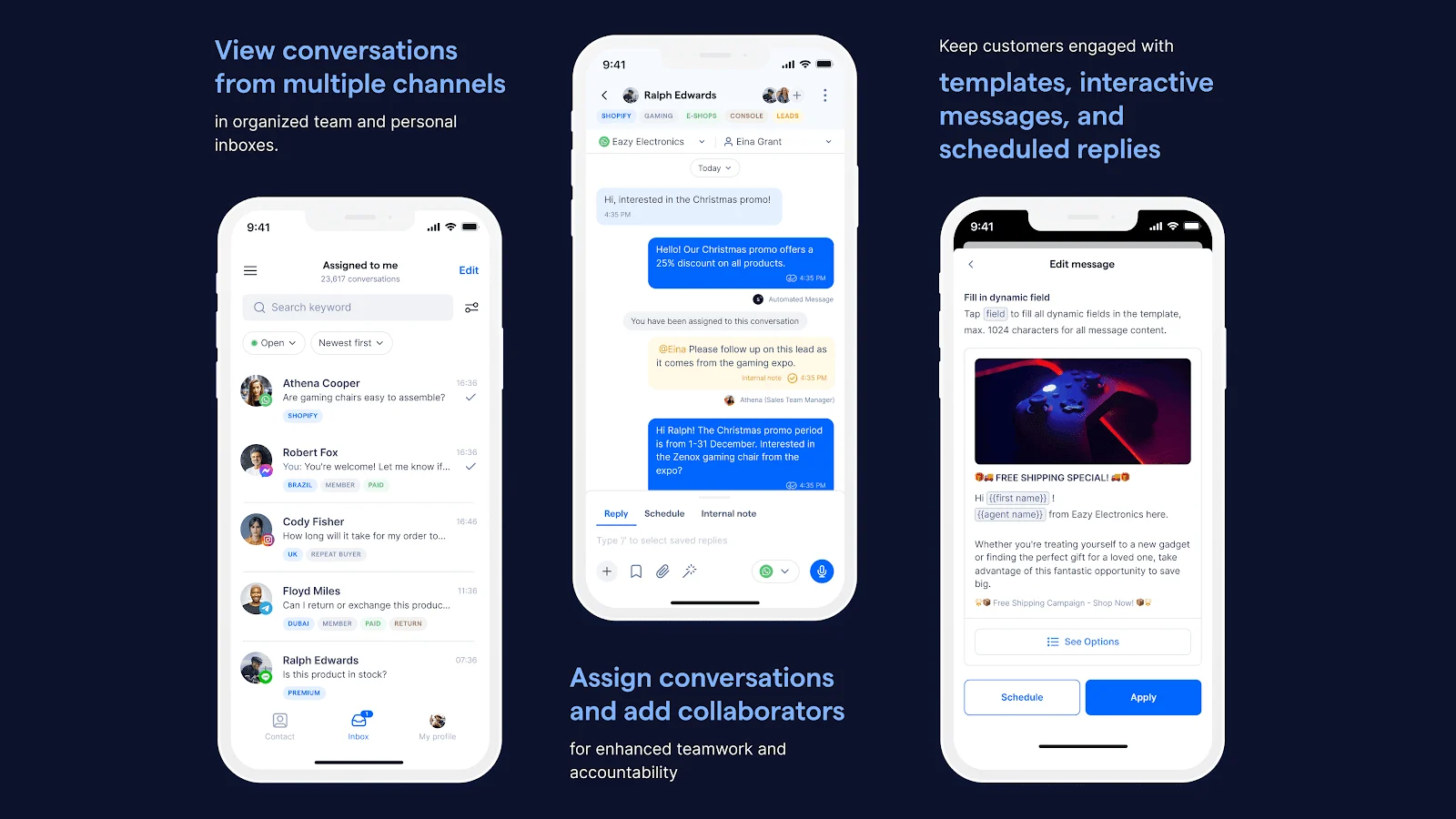
SleekFlow helps businesses manage WhatsApp appointment booking in one place. You can create multiple WhatsApp entry points, build automated booking flows, store booking details in custom records, sync customer data with your CRM, and use targeted campaigns to drive more bookings. This makes it easier to move from a simple WhatsApp chat into a full booking workflow that supports both customer service and growth.

Want to outcompete your peers with SleekFlow's help?
Book your personalised demo with SleekFlow today and unlock the potential of seamless communication


