WhatsApp blast in Singapore: how to send bulk messages safely for business growth


TL; DR: Quick Summary
- WhatsApp blast messages are a powerful way for businesses in Singapore to send promotions, reminders, updates, and follow-up messages directly to customers on a channel they already use daily.
- For small businesses, the WhatsApp Business app can support simple broadcast messaging, but it has limitations when it comes to scaling campaigns and managing larger customer databases.
- For growing teams and larger businesses, the WhatsApp Business API is the better solution because it supports automation, audience segmentation, CRM integration, team collaboration, and campaign performance tracking.
- A successful WhatsApp blast strategy depends on getting clear customer opt-ins, sending relevant content to the right audience segments, and personalizing messages based on customer behavior or needs.
- Businesses should also prepare for two-way conversations, since customers often reply to WhatsApp broadcasts with questions, purchase intent, or support requests.
- When used strategically, WhatsApp blasts can help improve customer engagement, increase conversions, strengthen customer relationships, and make marketing communication more efficient.
Businesses in Singapore use WhatsApp for far more than customer support. It is also one of the fastest ways to send promotions, product updates, appointment reminders, renewal nudges, and post-purchase follow-ups directly to customers’ phones, and the platform can achieve open rates as high as 98%, far surpassing any other channel.
This guide explains how WhatsApp blast works, when to use the WhatsApp Business app versus the WhatsApp Business API, and how to send bulk messages without creating extra manual work for your team.
What is a WhatsApp blast?
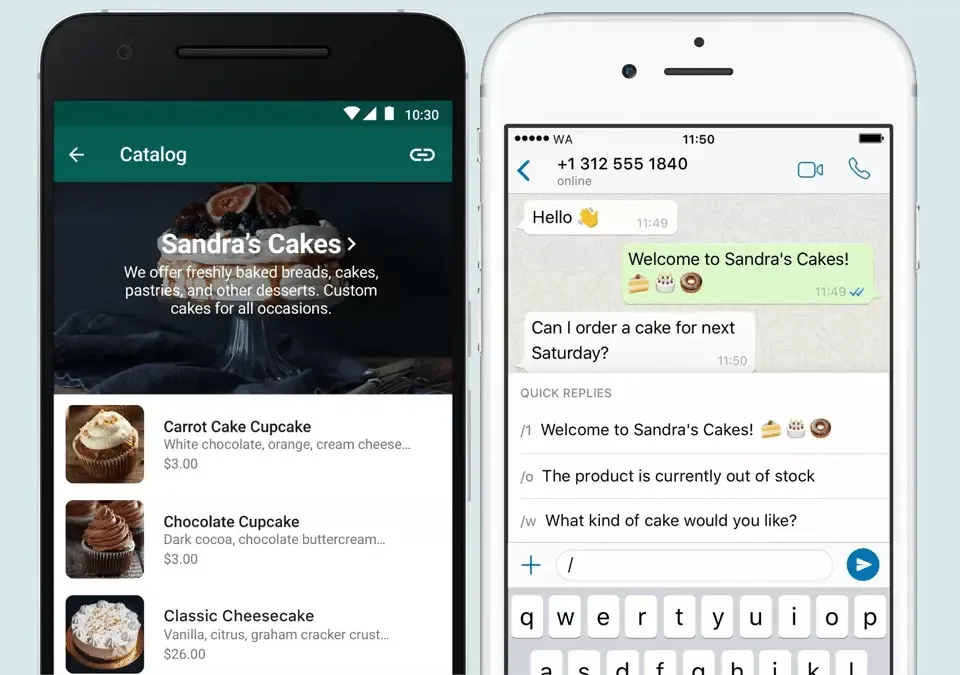
A WhatsApp blast is a bulk message sent to many recipients individually, so each person receives it in a private 1:1 chat instead of a group chat.
Businesses typically use WhatsApp blasts for:
flash sales and limited-time promotions
restock alerts and product launches
event invitations and reminders
appointment confirmations and follow-ups
renewal and payment reminders
surveys, feedback collection and loyalty campaigns
For small businesses, the WhatsApp Business app may be enough to get started. For larger campaigns, more advanced targeting and better team workflows, the WhatsApp Business Platform (API) is usually the better fit.
Blasting a message on the WhatsApp Business app vs API
Before you blast messages, choose the right setup.
When the WhatsApp Business app makes sense
The WhatsApp Business app is best for very small teams that want a free way to message customers and send simple broadcasts.
It works well when you:
send to relatively small contact lists
do not need advanced automation
do not need CRM sync or detailed analytics
can manage replies with one phone and a small team
When the WhatsApp Business API makes sense
The WhatsApp Business API is designed for businesses that need to send campaigns at scale while keeping operations organised.
It is the stronger option when you need to:
send broadcast campaigns to large segmented audiences
personalise messages with customer variables
let multiple agents handle replies in one shared workspace
schedule campaigns and test them before launch
sync customer data with Shopify, HubSpot, Salesforce or other systems
automate follow-ups, routing and lead qualification
track delivery, read, reply and failure data in one place
In practice, the app is a good starting point. The API is what businesses use when they want WhatsApp to become a repeatable marketing and revenue channel instead of a manual task.
How to send a WhatsApp blast on the WhatsApp Business app
If you are just getting started, here is the simple route.
Option 1: create a broadcast list
Open the WhatsApp Business app.
Go to Chats and tap the menu icon.
Select Business Broadcast or New Broadcast.
Choose the contacts you want to include.
Create the list.
Draft your message and send it.
This method is useful for small campaigns, but it comes with trade-offs. You can include up to 256 contacts in each broadcast list, and contacts generally need to have your business number saved in their address book to receive broadcast messages. That makes the app less reliable for larger outbound campaigns.
Option 2: use labels to build smaller segments
Labels help you group contacts such as:
new leads
VIP customers
customers waiting for restocks
event attendees
customers due for renewal
Instead of sending the same message to everyone, you can create tighter segments and send more relevant broadcasts.
That improves the customer experience and reduces the risk of low engagement.
The main limits of the app
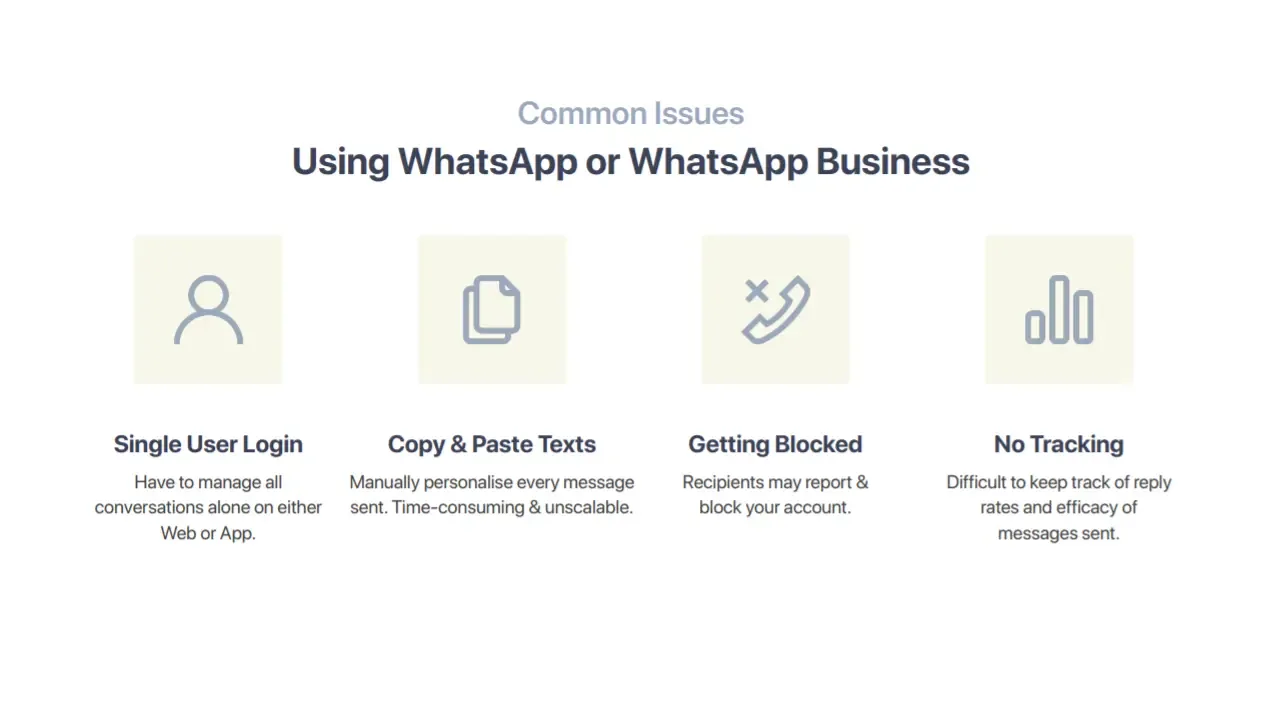
The app is helpful, but businesses usually outgrow it once campaigns become frequent or more targeted.
Common pain points include:
limited broadcast scale
manual audience building
limited team collaboration
weaker reporting and campaign analytics
limited automation options
more operational risk when many people need to reply quickly
If your team is copying lists, sending messages one batch at a time, updating spreadsheets manually, and switching between tools to understand performance, it is time to move beyond the app.
How to send a WhatsApp blast with the WhatsApp Business API
The API gives you a more structured way to run campaigns, especially if you are using an official WhatsApp Business solution like SleekFlow.
Step 1: connect an official WhatsApp Business account
Start by connecting your WhatsApp Business account through an official provider. This gives you a compliant setup for sending outbound messages at scale.
Step 2: import or sync your contacts
Pull your audience into one place instead of maintaining separate manual lists.
With SleekFlow, businesses can centralise contact data and sync it with tools such as Shopify, HubSpot and Salesforce. That makes it easier to segment by lifecycle stage, past purchases, lead source, deal stage or support history.
Step 3: create or choose an approved message template
For outbound campaigns, use approved WhatsApp templates.
Good templates usually include:
a clear header when needed
concise body copy
relevant variables for personalisation
an optional footer for context or opt-out guidance
one clear button or CTA
Step 4: personalise the message with variables
This is where the API becomes much more useful than manual sending.
Instead of sending one generic message, you can tailor each message using customer properties such as:
first name
preferred language
branch or location
appointment date
product category viewed
last purchase
discount code
account manager name
That keeps your campaign feeling relevant without turning the process into more manual work.
Step 5: preview and test before sending
Always send a preview or test message before launch.
On SleekFlow, you can review the final audience, selected channel and message preview before publishing. This is especially useful when you are using variables, media or time-sensitive offers.
Step 6: schedule or send immediately
Choose whether the campaign should go out now or at a planned time.
Scheduling is useful for:
sale launches
event reminders
abandoned cart nudges
renewal reminders
festive campaigns in Singapore
Step 7: track performance and optimise the next send
Once the campaign is live, monitor metrics such as:
messages sent
delivered messages
read messages
replies
failed messages and failure reasons
The goal is not just to send more messages. It is to learn which audience, offer, CTA, timing, and message structure produce better business results.
How to personalise WhatsApp blasts at scale
Personalisation should go beyond adding a first name. McKinsey reports that 71% of consumers expect personalised interactions, while 76% get frustrated when they do not get them. On WhatsApp, that means relevance matters just as much as reach.
Segment by intent, not just demographics
A better segmentation model looks at behaviour and journey stage, for example:
new leads who have not booked a demo
repeat customers who have not purchased in 60 days
customers who clicked a promotion but did not check out
customers waiting for a product restock
Inactive users due for contract renewal
This helps you send fewer irrelevant messages and more timely ones.
Use dynamic variables carefully
Variables work best when they help the customer act faster. Good examples include:
order number
appointment time
nearest store
membership tier
promo code
recommended product
Do not overload the message with too many fields. Personalisation should make the message clearer, not harder to scan.
Pair broadcasts with automation
Broadcasts work even better when they are connected to the rest of the customer journey through automation workflows.
For example, you can:
trigger a follow-up when someone replies
route hot leads to sales automatically
update CRM records when a customer takes action
trigger reminder messages based on payment, booking or deal status
This is where WhatsApp changes from a one-off campaign channel into an operational growth engine.
Operational tips before you hit send
The campaigns that perform best are usually the ones that are operationally disciplined.
Start with a clean opt-in list
Only message people who have clearly agreed to receive WhatsApp communications from your business. In Meta’s official guidance, businesses must clearly state that a person is opting in to receive messages from the business, and businesses should make clear what type of messages the person is agreeing to receive.
Your opt-in list should also reflect what customers agreed to receive. Someone who opted in for delivery updates is not automatically a fit for every promotional campaign.
Exclude people who should not receive the campaign
Before every send, create suppression rules for groups such as:
customers who already purchased the promoted item
customers with open support issues
users who opted out
leads already assigned to a live sales conversation
This protects the customer experience and avoids unnecessary replies.
Test the message on a small segment first
If the campaign is important, run a smaller test before a full send.
You can compare:
CTA wording
media versus text-only format
send time
discount framing
urgency framing
Respect timing and frequency
Good campaigns feel timely. Bad campaigns feel repetitive.
Avoid sending too often, sending too late or stacking multiple campaigns to the same audience without a clear reason.
Prepare the team for replies
A strong broadcast can create a spike in inbound conversations.
Before sending, make sure:
sales or support owners are assigned
routing rules are ready
common questions have prepared responses
stock, pricing and campaign terms are confirmed internally
That way, the replies generated by the campaign actually convert.
CTA writing tips for WhatsApp blasts
A weak CTA wastes strong reach. Your message should guide the customer toward one clear next step.
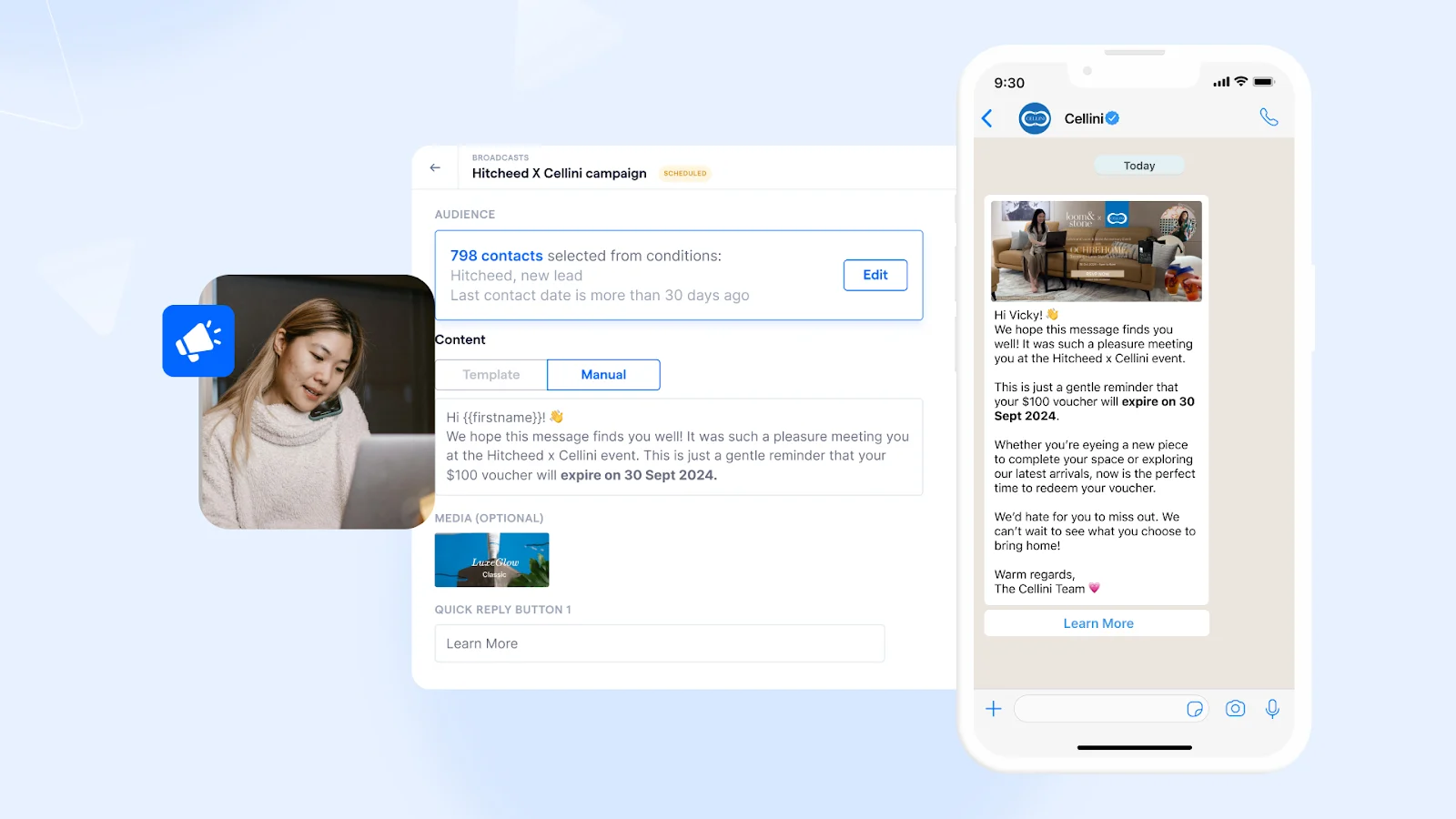
Use one CTA per message
Do not ask people to browse a catalogue, reply with a keyword, book a slot and call your team all at once.
Pick the most important next action.
Lead with the outcome
Instead of vague CTAs like:
Learn more
Check this out
Use outcome-led CTAs such as:
Claim your 20% code
Book your slot
View the new collection
Renew your plan
Get pricing on WhatsApp
Keep it specific
Specific CTAs reduce hesitation.
Compare:
Weak: Shop now
Stronger: View today’s 9.9 offers
Weak: Contact us
Stronger: Reply to reserve your appointment
Match the CTA to the customer journey
Different audiences need different prompts.
New leads: Book a demo
Warm prospects: See pricing
Abandoned carts: Complete your order
Existing customers: Unlock member rewards
Multimedia tips that improve response rates
Media can increase clarity and engagement, but only when it supports the message.
Use images when the product is visual
Images work well for:
product launches
festive promotions
new arrivals
limited bundles
Make sure the key offer is still clear without relying only on the image.
Use video when the product needs explanation
Short videos are useful for:
feature demos
product walk-throughs
event teasers
property or travel previews
Keep them focused. A long, heavy video can slow users down rather than move them forward.
Use buttons where possible
Buttons reduce friction because customers do not need to type their response.
They are especially helpful for:
booking actions
offer redemption
product browsing
lead qualification
choosing between a few next steps
Use catalogues and product messages for commerce journeys
If your campaign is product-led, interactive commerce formats can work better than plain text because they shorten the path from message to purchase.
Why businesses switch from manual blasting to scalable broadcasts
Manual work usually becomes the highest hidden cost in WhatsApp marketing.
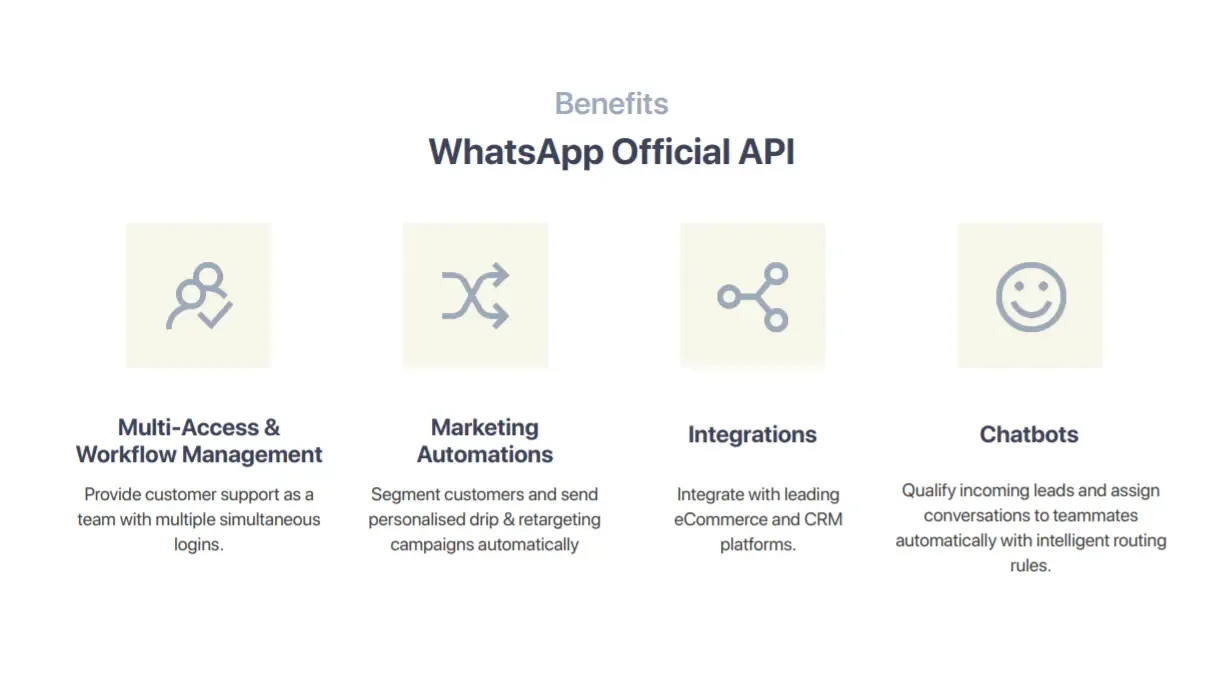
At first, sending messages from the app feels manageable. Then the workflow starts to break, and that is why growing businesses move to the API and a shared platform.
With SleekFlow, teams can run broadcasts with:
multiple-user access
shared inbox collaboration
role-based access control
broadcast scheduling and duplication
campaign analytics and failure tracking
CRM and e-commerce integrations
automation through Flow Builder
AI assistance for drafting, refining and routing conversations
The result is not just scale. It is better control, faster response handling and less manual work across marketing, sales and support.
Real-life example: Pristine Aroma uses targeted seasonal broadcasts that drive revenue
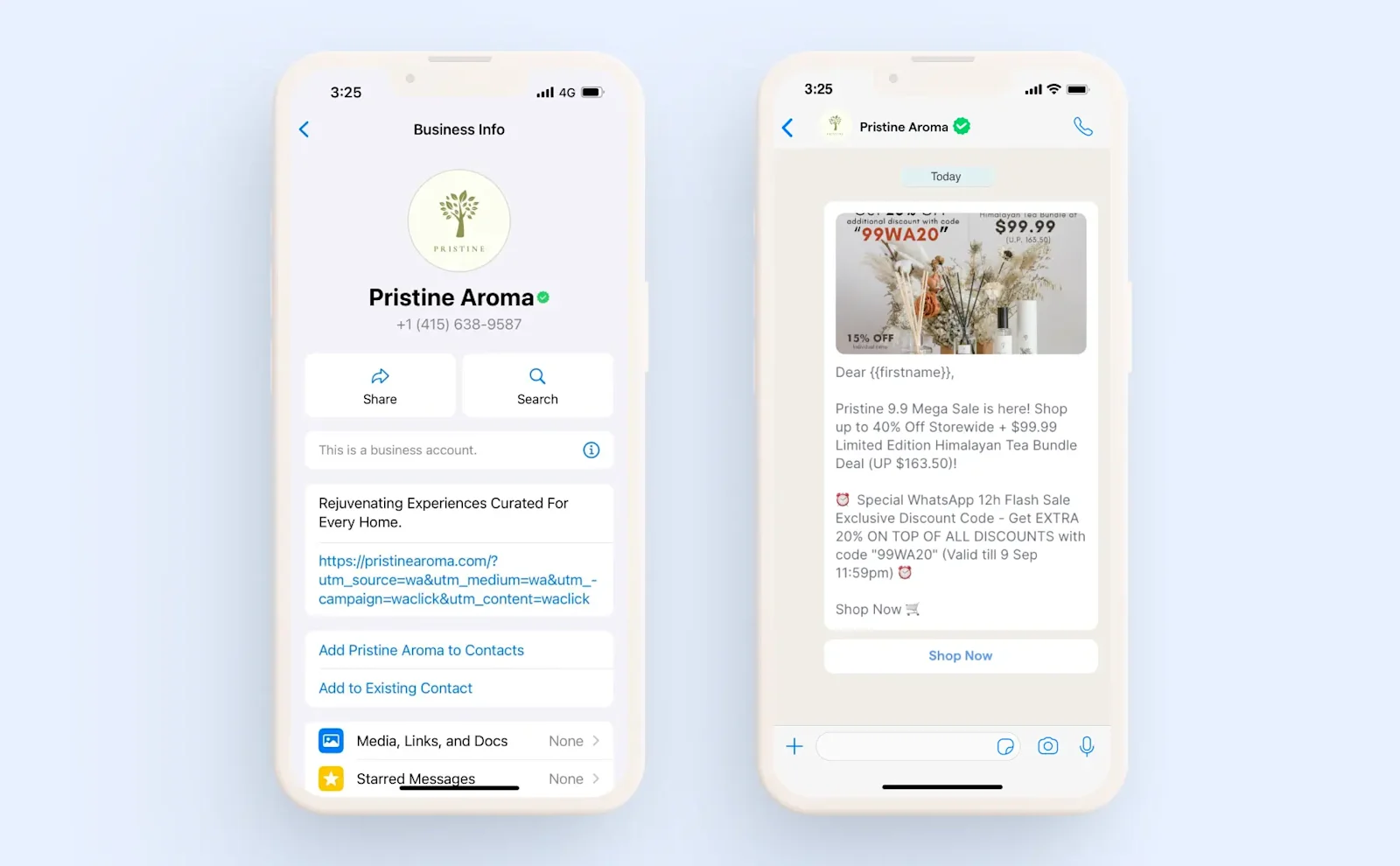
Pristine Aroma, a Singapore-based home fragrance brand, achieved strong broadcast performance during its 9.9 sale by segmenting its audience base and distributing discount codes to different segments., This resulted in a 56% open rate, a 16% click-through rate, an 18% conversion rate and 13X ROI.
The takeaway here is not just that WhatsApp works. It is that segmented, relevant campaigns outperform generic bulk sends.
Send WhatsApp blasts at scale without the manual work
If your team is ready to move beyond one-off broadcasts and build a repeatable WhatsApp growth channel, the next step is to use the WhatsApp Business API with a platform that supports segmentation, automation, analytics, and team collaboration.
SleekFlow helps businesses in Singapore centralise customer conversations, send personalised broadcast campaigns, automate follow-ups, and turn replies into measurable revenue.
Start for free!
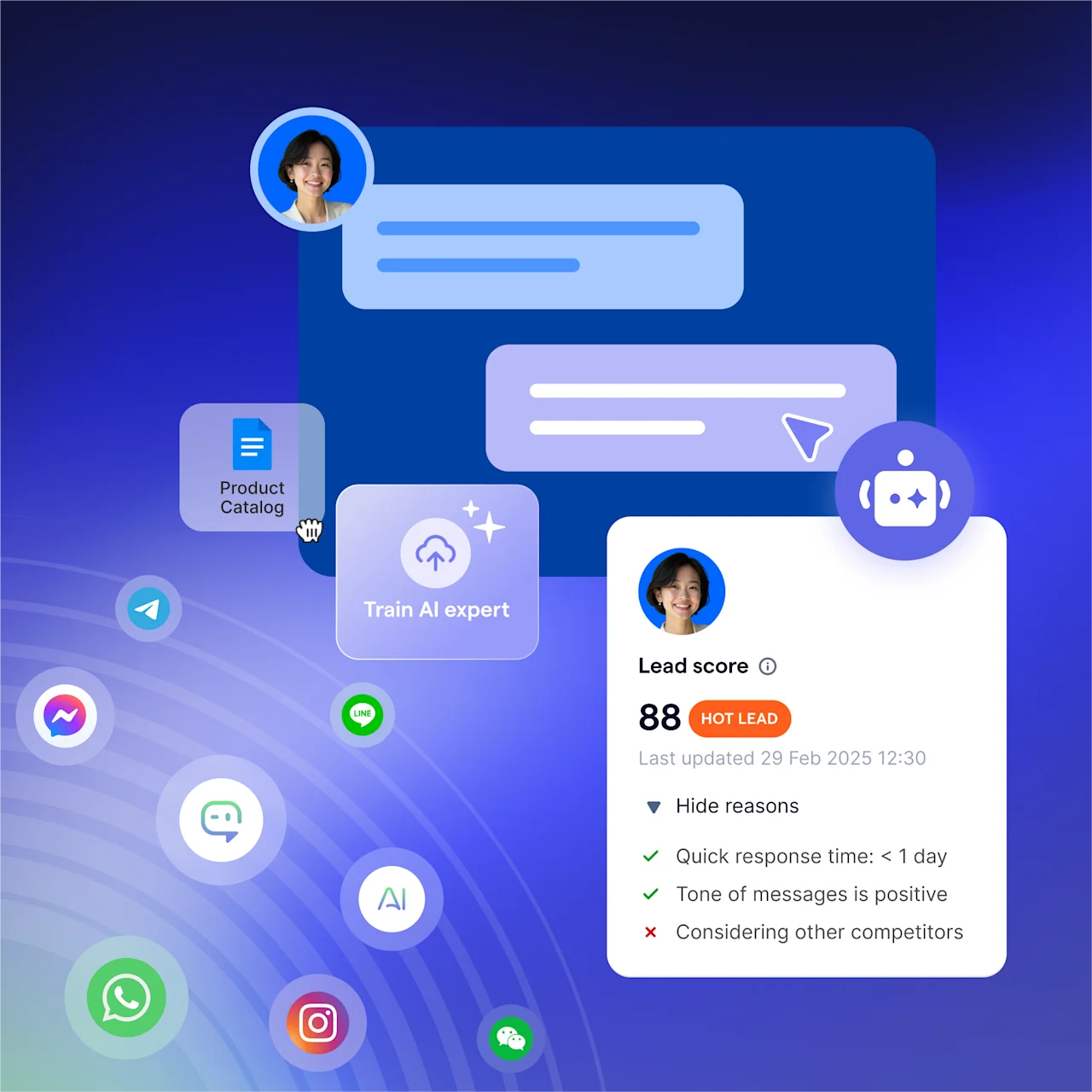
Grow your revenue and turn chats into conversions with AI agents. Try SleekFlow for free, forever.


